TL;DR
Three ideas before you begin
- Replace generic feature comparison with task weighting
- Include learning, quota, and collaboration costs
- Run a short parallel test with identical inputs
Before you start
Prepare the inputs
- List the three to five SEO tasks that matter most in the next 90 days
- Prepare one owned site and two competitor domains
- Confirm team size, budget, and export needs
Step 1
Build a weighted task scorecard first
Define decision criteria first so an impressive but rarely used feature does not distort the choice.
- 1.1
List frequent tasks
Examples include keyword expansion, backlink audits, content gaps, technical monitoring, and client reports.
- 1.2
Assign business weights
Make weights total 100% and give the largest shares to work that affects the next quarter’s goals.
- 1.3
Define pass criteria
Specify required depth, export format, quota, and acceptable completion time for each task.
Before opening either product, you should have a brand-neutral scorecard.
Step 2
Test keyword and content research in parallel
Use the same market, seed terms, and competitors and compare how quickly results lead to a content decision.
- 2.1
Run the same seed terms
Compare intent, related-term expansion, regional databases, trends, and SERP context—not just row counts.
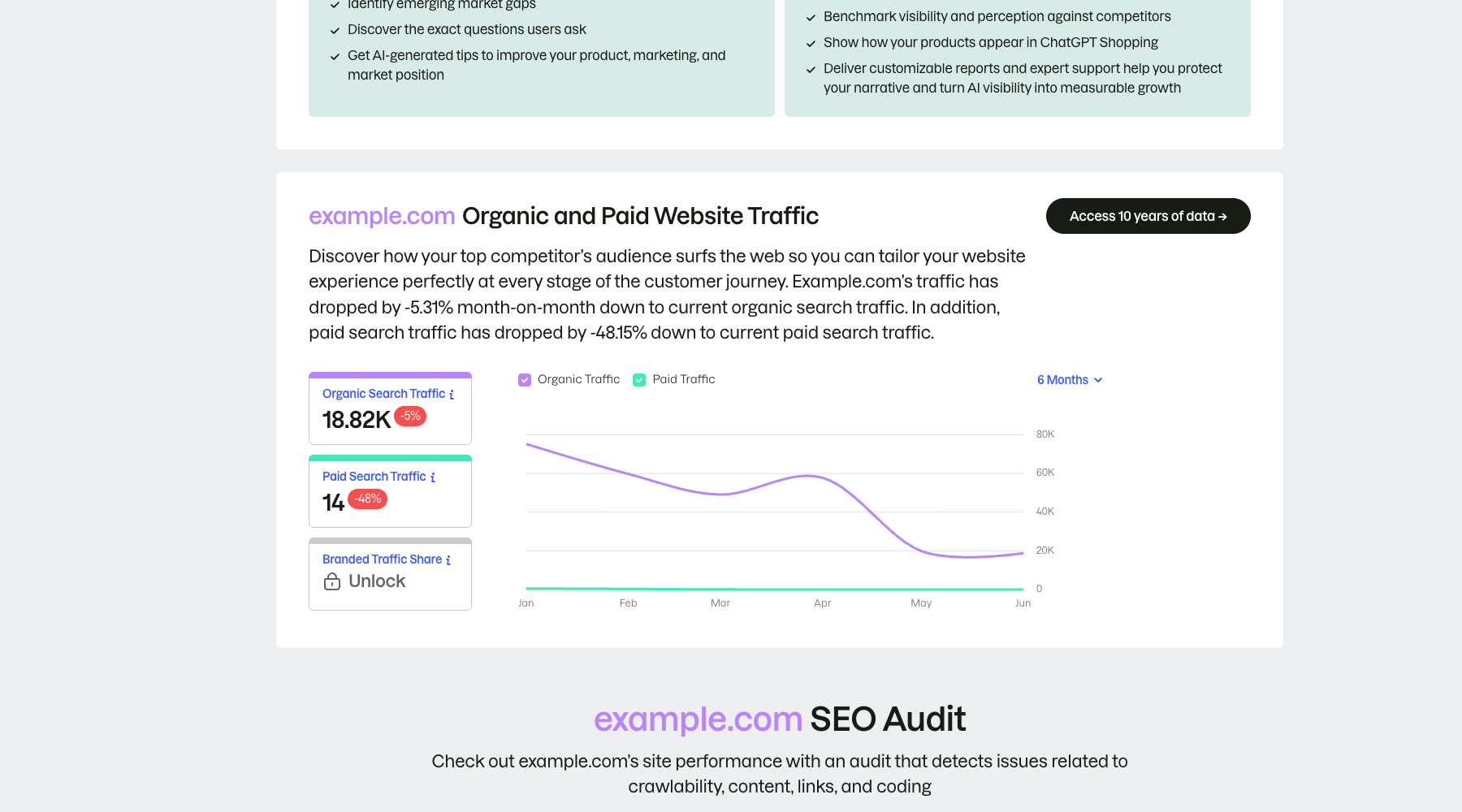
Record Semrush organic-search output under the same domain and date scope as the parallel test sample. Markers- 1 Organic search traffic
- 2 Paid search traffic
- 3 Change trend
Separate organic from paid search before comparing their direction of change. The public example explains the interface structure; production research still requires consistent market, device, and date scopes.
Verify source: Semrush official organic and paid traffic report - 2.2
Run the same content-gap set
Observe the effort required to filter, cluster, exclude brand terms, and export into a working sheet.
- 2.3
Measure time to decision
Time from entering the domains until you can state three content priorities.
Keep separate scores for output quality and operating efficiency rather than relying on interface preference.
Step 3
Compare backlink evidence and actionability
Database size is only the starting point; what matters is reliably finding domains worth acting on.
- 3.1
Check new, lost, and historical links
Use the same domain and dates to compare discovery speed, deduplication, and link-status explanations.
- 3.2
Run one backlink-gap analysis
Compare intersection filters, domain-quality signals, spam exclusion, and outreach-list exports.
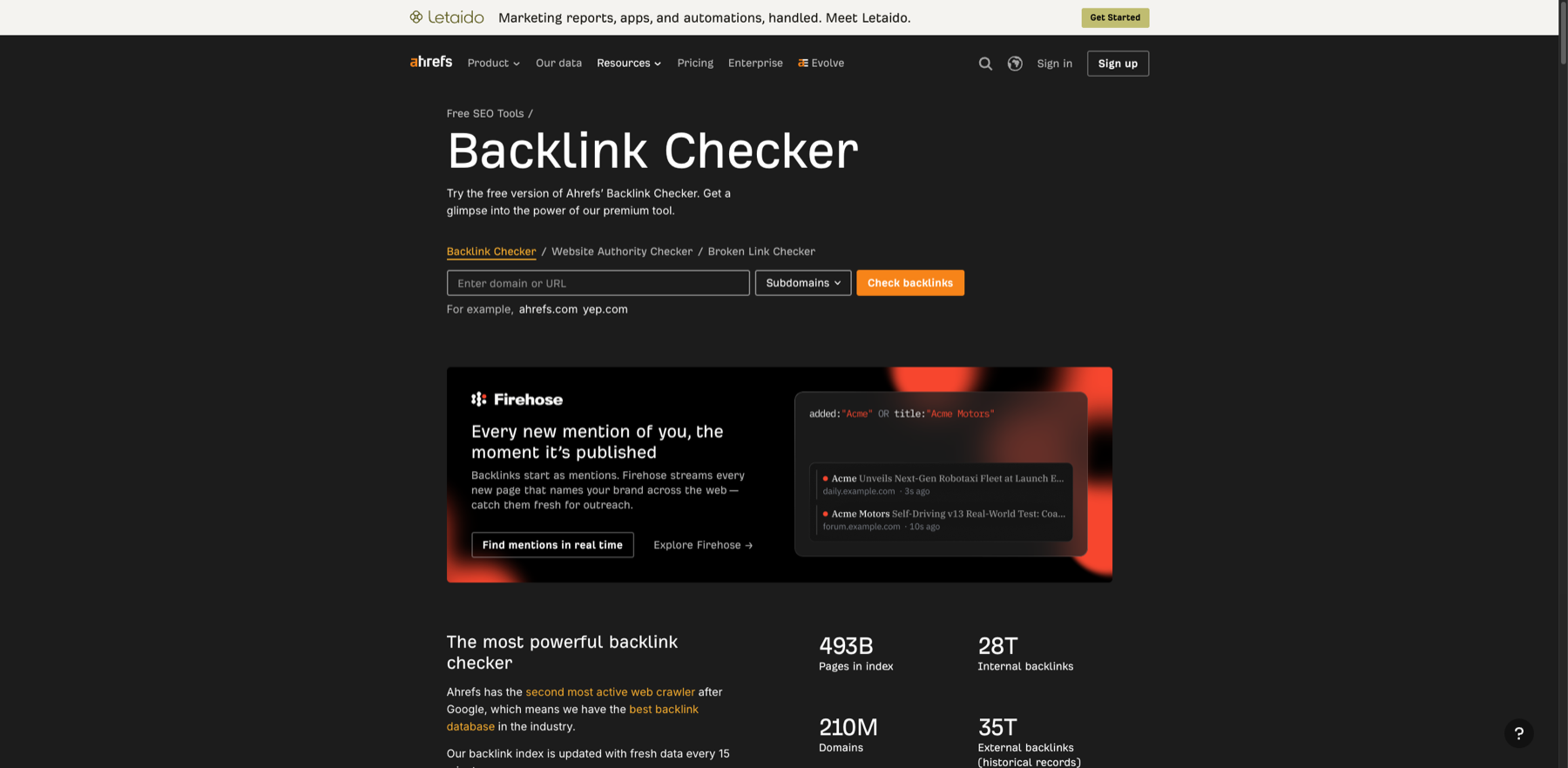
Normalize domain mode before comparing actionable referring pages. Markers- 1 Target domain or URL
- 2 Domain mode
- 3 Run check
Choose the whole domain, subdomain, or exact URL before querying. This is the free checker entry; a formal backlink gap still requires a supported Link Intersect or gap report.
Verify source: Ahrefs official Backlink Checker - 3.3
Manually verify a sample
Open a random sample of 20 source pages and verify that links exist, are accessible, and are relevant.
Prefer the output that requires less cleanup and enables more action, not simply the larger number.
Step 4
Review audits, reporting, and daily collaboration
The decision must cover weekly operations, not only the first research session.
- 4.1
Run the same site audit
Compare issue prioritization, false positives, remediation guidance, crawl limits, and re-check workflow.
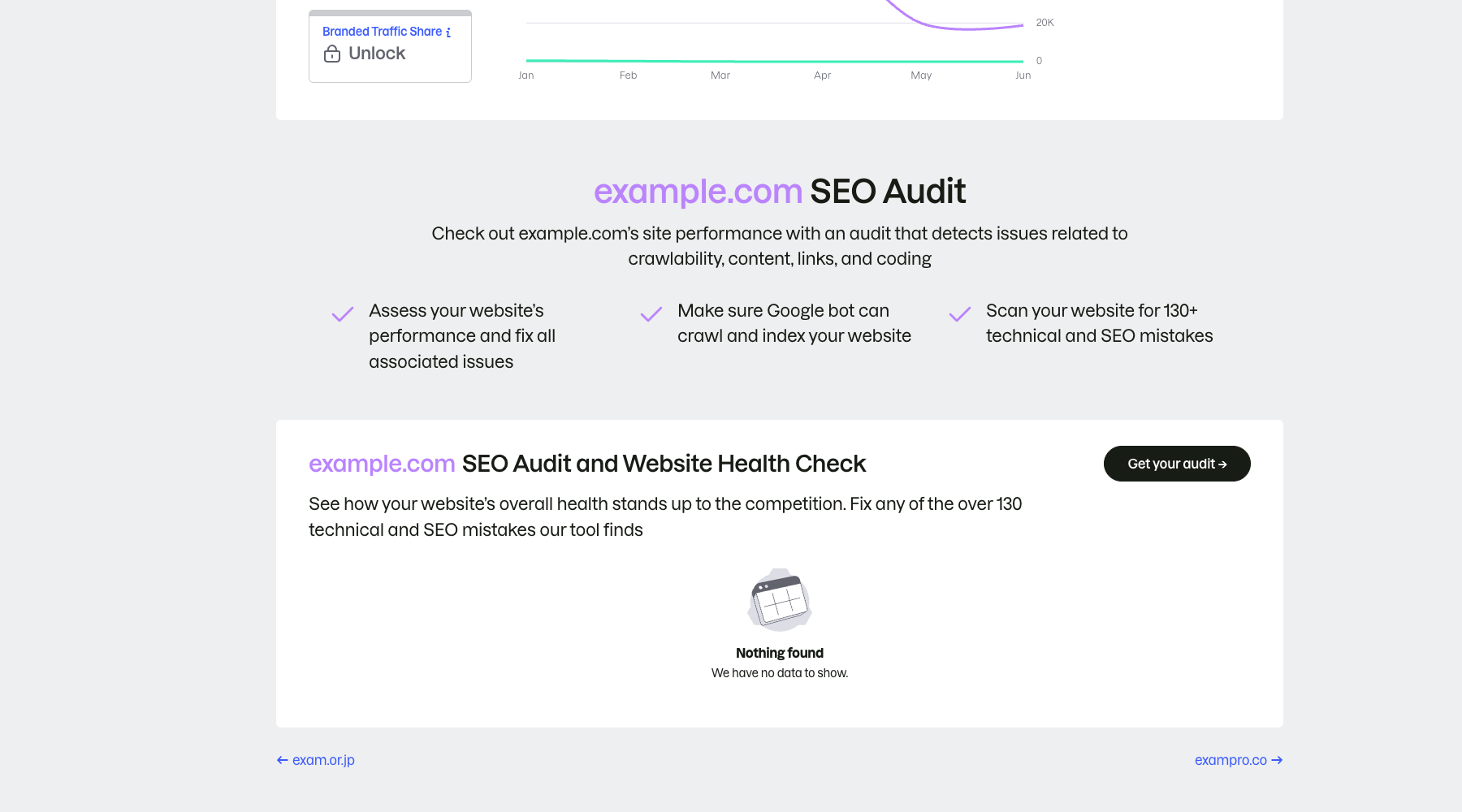
Audit the same site against the same acceptance criteria; an empty result is not a pass. Markers- 1 Audit scope
- 2 Start project audit
- 3 No data is not a pass
The public page only shows the audit entry and scope; “no data” does not mean the site is healthy. Run a real project crawl and prioritize crawlability, indexability, links, and content issues.
Verify source: Semrush official SEO audit example - 4.2
Simulate a weekly report
Check saved views, scheduled reports, branding, sharing permissions, and exports against the team workflow.
- 4.3
Calculate real operating cost
Beyond subscription price, include seats, quotas, add-ons, training time, and overlapping tools.
You should now have comparable monthly cost, weekly maintenance time, and collaboration constraints.
Step 5
Make the final choice with a seven-day validation
Do not chase a permanently correct answer. Choose the best current fit and schedule a review.
- 5.1
Calculate weighted scores
Multiply each one-to-five score by its task weight and attach supporting links or screenshots.
- 5.2
Apply hard constraints
Flag any failure on required regional data, seats, or export capabilities even when the total score is high.
- 5.3
Set a 90-day review
Record the rationale, expected usage, and review metrics, then reassess with actual usage data.
The final recommendation should fit on one page: choice, evidence, constraints, cost, and next review date.
WHO · HOW · WHY
How this guide was written and reviewed
- Who
- Independently written and manually reviewed by the RelayX Editorial Team, with update and capture dates shown on the page.
- How
- Fix geography, time, device, and domain scope first, then cross-check third-party estimates with owned analytics, search-console data, or public pages. No single traffic or authority score is treated as a business result.
- Why
- The goal is not to restate product features but to help you produce “A selection scorecard based on real tasks and operating cost”. The workflow is organized around that outcome with checkpoints, limitations, and next actions.
Interface captures come from official accessible product pages or the current browser interface. Each appears under its matching step with numbered controls and data points. When real functional UI cannot be publicly verified, the guide says so instead of using a marketing homepage as filler. No third-party tutorial text or imagery is reused; third-party brands and interface rights remain with their respective owners.