TL;DR
Three ideas before you begin
- Separate competitor estimates from owned project data
- Move from keyword opportunities to page and technical fixes
- Review rankings, clicks, and conversions together
Before you start
Prepare the inputs
- Prepare your domain, target country or region, and one primary business goal
- Choose two competitors with a comparable business model
- Confirm whether Search Console or another owned data source can be connected
Step 1
From “Fix the database and analysis scope” to “Create a project and capture a baseline”
To produce “A 30-day SEO action sheet covering keywords, competitors, technical issues, and monitoring metrics”, make “Fix the database and analysis scope” and “Create a project and capture a baseline” a reviewable starting point. Every later filter and judgment should preserve this scope.
- 1.1
Fix the database and analysis scope
Choose the target-country database and decide whether to analyze a root domain, subdomain, or subfolder. Keep the same scope for every competitor.
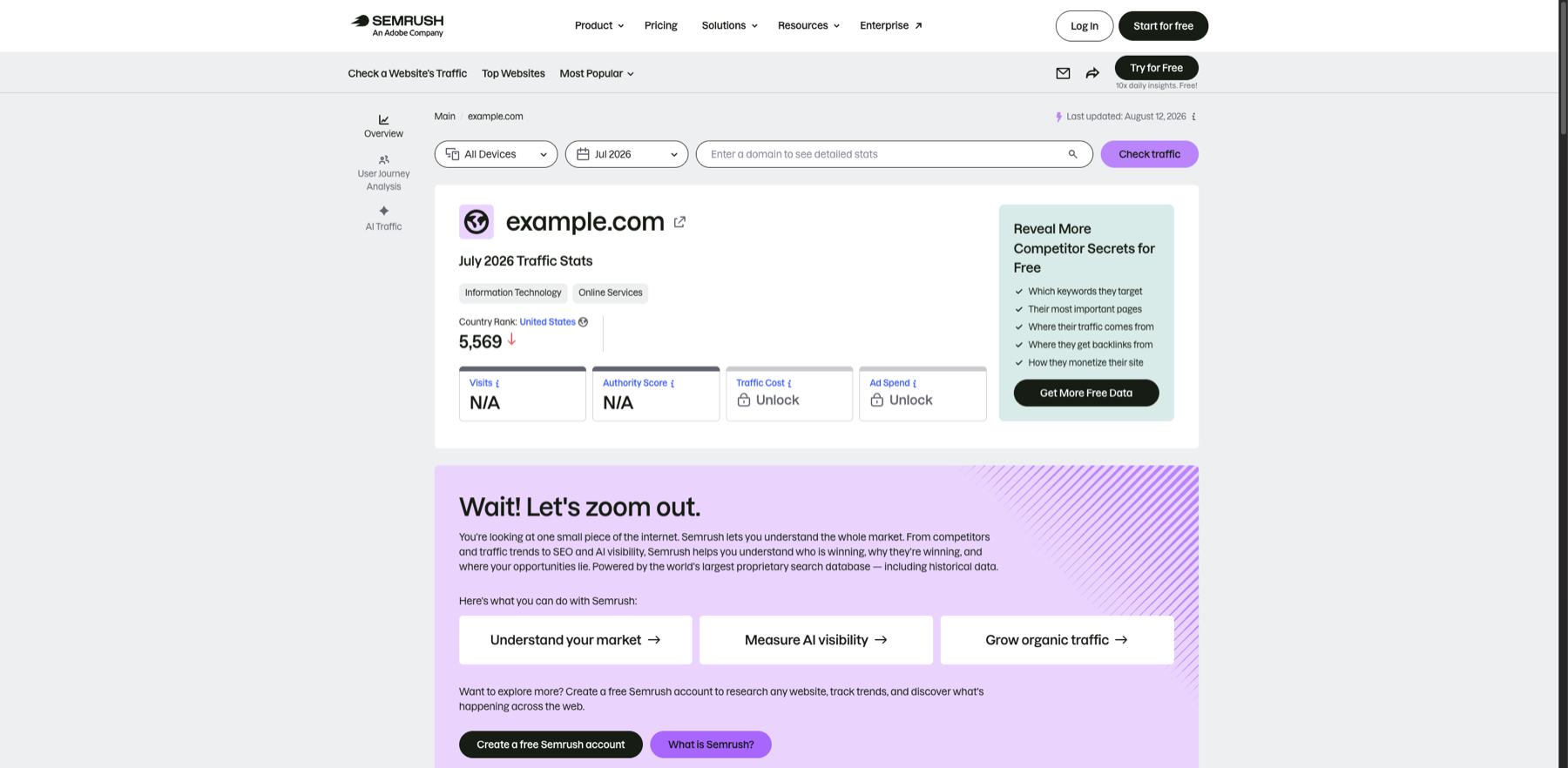
Before comparing any data, confirm the three top filters use the same scope. Markers- 1 Device scope
- 2 Observation month
- 3 Domain input
- 4 Run query
Fix the device, month, and domain scope before reading the data. Locked fields are unavailable at the public access level and must not be inferred.
Verify source: Semrush official website traffic overview - 1.2
Create a project and capture a baseline
Record current organic keywords, estimated traffic, site health, and target rankings as the baseline for later comparison.
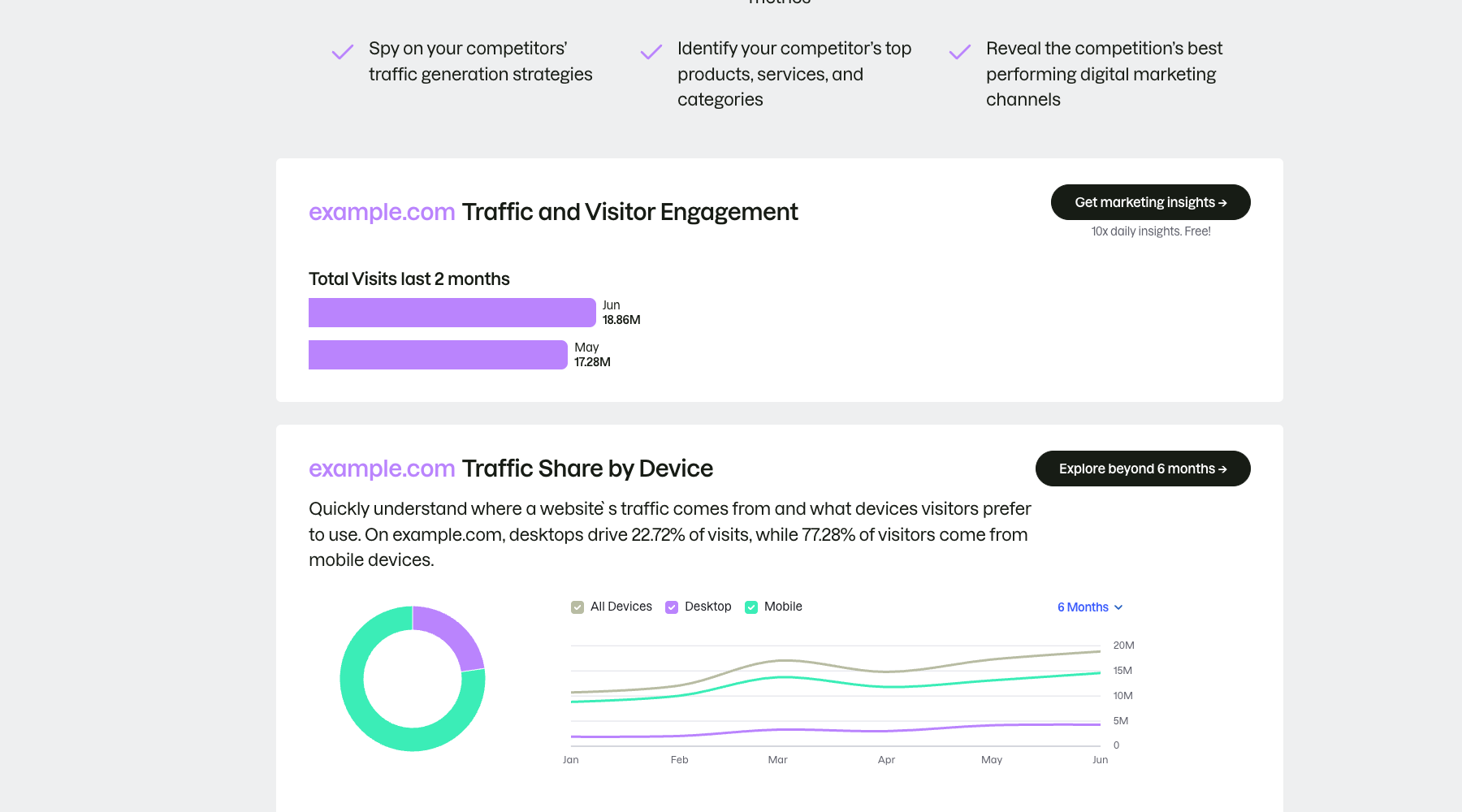
Build the baseline from trend and device structure, not a single visits number. Markers- 1 Visits for the last two months
- 2 Device share
- 3 Six-month trend
The public example places visits, device share, and a time trend on one screen. Read trend and structure together instead of judging from one monthly total.
Verify source: Semrush official traffic and visitor engagement report
You have saved the market, domain scope, competitors, and four baseline metrics.
Step 2
“Find opportunities with domain and keyword gaps”, then “Map opportunities to pages and audit issues”
Keep only the evidence needed for “Find opportunities with domain and keyword gaps” and “Map opportunities to pages and audit issues”. Record why each filter changes so the result remains reproducible instead of becoming an unexplained screenshot.
- 2.1
Find opportunities with domain and keyword gaps
Use domain overview to identify major themes, then group competitor keywords you do not cover by intent and page type.
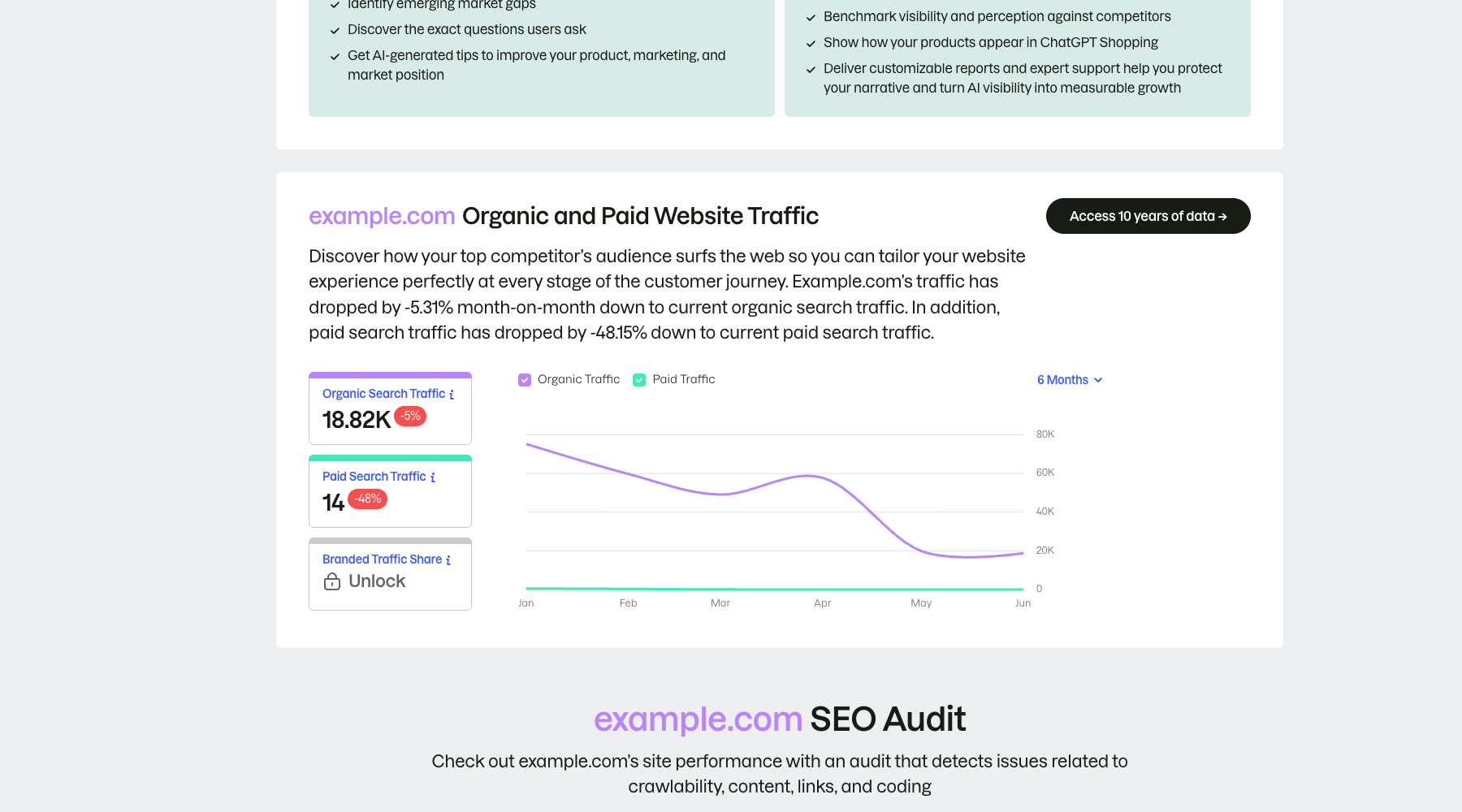
Identify whether the opportunity comes from organic search or paid activity instead of mixing the two. Markers- 1 Organic search traffic
- 2 Paid search traffic
- 3 Change trend
Separate organic from paid search before comparing their direction of change. The public example explains the interface structure; production research still requires consistent market, device, and date scopes.
Verify source: Semrush official organic and paid traffic report - 2.2
Map opportunities to pages and audit issues
Assign a new or existing page to each priority theme, then audit the site and fix blockers to crawling, indexing, and internal linking first.
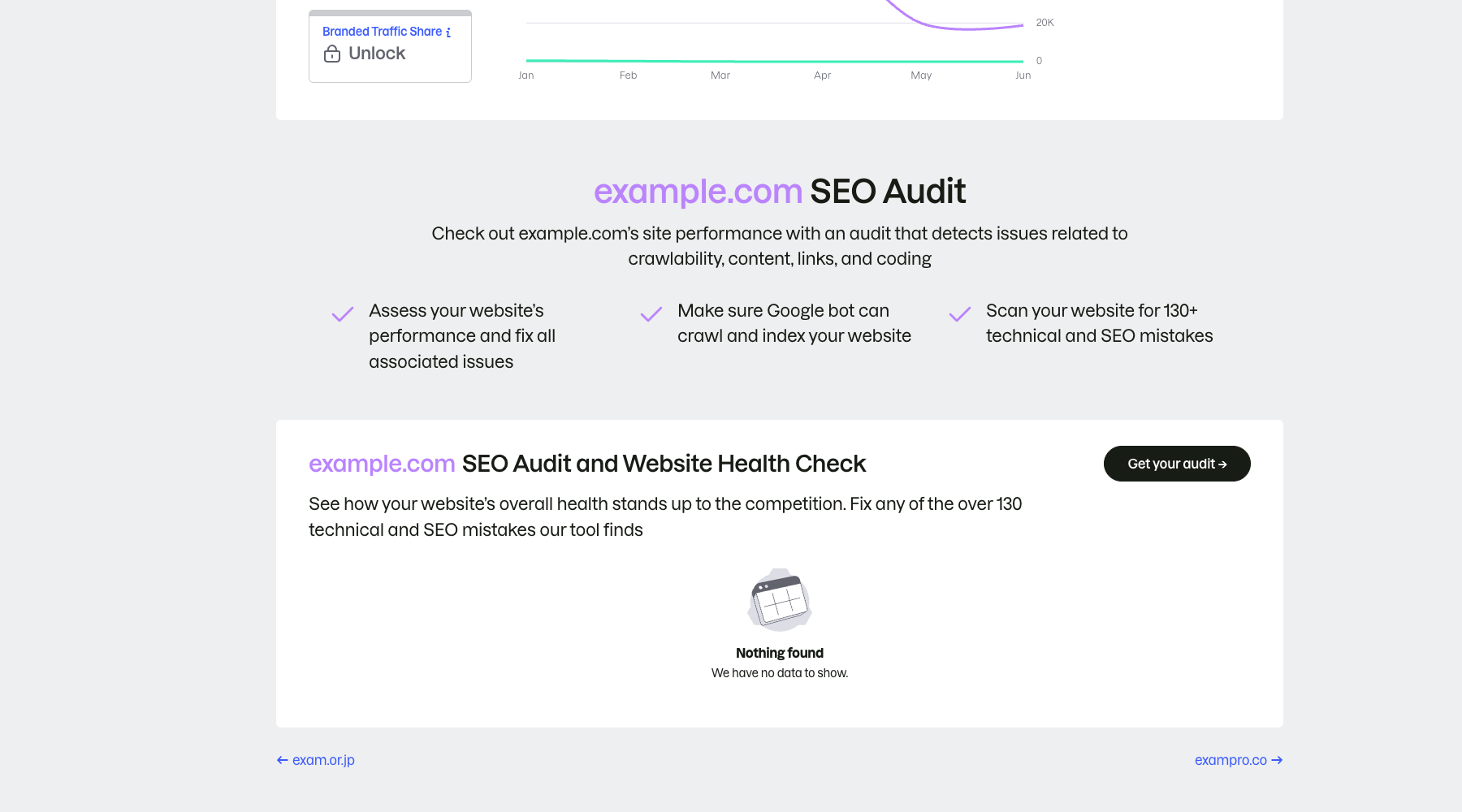
Recognize the audit entry and no-data state instead of treating an empty result as a clean site. Markers- 1 Audit scope
- 2 Start project audit
- 3 No data is not a pass
The public page only shows the audit entry and scope; “no data” does not mean the site is healthy. Run a real project crawl and prioritize crawlability, indexability, links, and content issues.
Verify source: Semrush official SEO audit example
Every priority theme now has a page action, owner, and technical dependency.
Step 3
“Build a 30-day priority list” and “Set ranking and business reviews”
Do not stop at tool output. Use “Build a 30-day priority list” and “Set ranking and business reviews” to verify quality, limitations, and ownership so “A 30-day SEO action sheet covering keywords, competitors, technical issues, and monitoring metrics” becomes actionable.
- 3.1
Build a 30-day priority list
Score business relevance, intent, expected impact, and effort, keeping only work the team can finish within a month.
- 3.2
Set ranking and business reviews
Review visibility and target rankings weekly, then assess clicks, leads, or orders monthly to confirm real value.
The action sheet states what comes first, who owns it, when it is reviewed, and how success is measured.
WHO · HOW · WHY
How this guide was written and reviewed
- Who
- Independently written and manually reviewed by the RelayX Editorial Team, with update and capture dates shown on the page.
- How
- Fix geography, time, device, and domain scope first, then cross-check third-party estimates with owned analytics, search-console data, or public pages. No single traffic or authority score is treated as a business result.
- Why
- The goal is not to restate product features but to help you produce “A 30-day SEO action sheet covering keywords, competitors, technical issues, and monitoring metrics”. The workflow is organized around that outcome with checkpoints, limitations, and next actions.
Interface captures come from official accessible product pages or the current browser interface. Each appears under its matching step with numbered controls and data points. When real functional UI cannot be publicly verified, the guide says so instead of using a marketing homepage as filler. No third-party tutorial text or imagery is reused; third-party brands and interface rights remain with their respective owners.