TL;DR
Three ideas before you begin
- Assess demand and competition in the same scorecard
- Use keywords to validate purchase intent
- Calculate full cost and risk before deciding
Before you start
Prepare the inputs
- Choose the marketplace, category, and target price range
- Prepare minimum margin, size and weight limits, and compliance requirements
- Choose five to ten candidate ASINs or keywords
Step 1
From “Set rejection thresholds first” to “Build a comparable candidate set”
To produce “A product-validation card covering demand, competition, margin, and risk”, make “Set rejection thresholds first” and “Build a comparable candidate set” a reviewable starting point. Every later filter and judgment should preserve this scope.
- 1.1
Set rejection thresholds first
Define minimum price, margin, monthly demand, review competition, size and weight, and compliance constraints; pause candidates that fail.
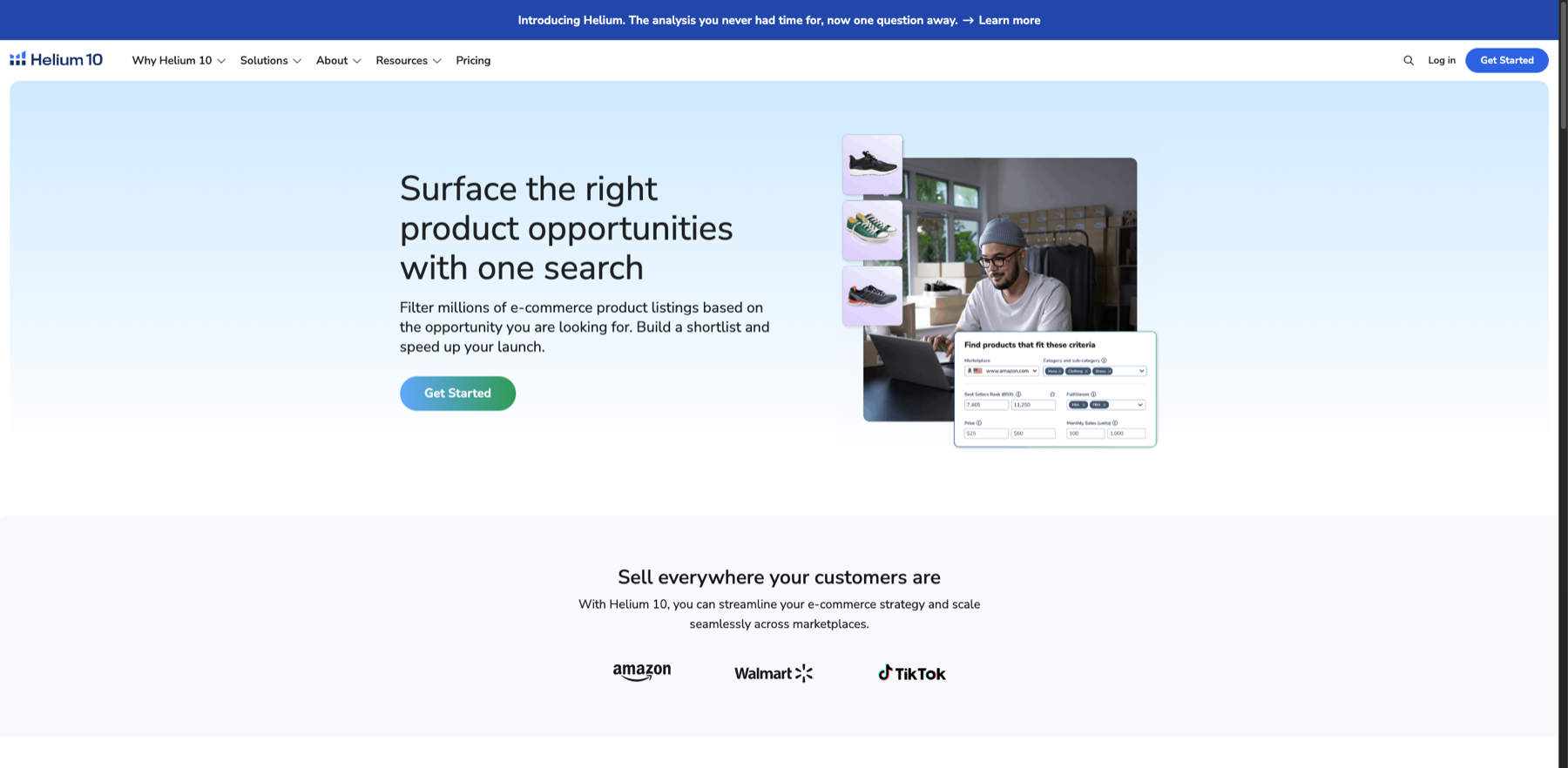
Identify which Black Box fields define the candidate boundary without treating a marketing illustration as research output. Markers- 1 Marketplace and category
- 2 Price range
- 3 Monthly sales range
This is an official feature illustration, not live account output. It only confirms the filter dimensions; real candidates still require account data plus cost, inventory, and compliance checks.
Verify source: Helium 10 official Black Box product page - 1.2
Build a comparable candidate set
Keep candidates in the same marketplace, use case, and price band instead of treating category averages as a specific opportunity.
The validation card now has explicit pass and rejection thresholds.
Step 2
“Cross-check demand and competition”, then “Validate demand structure with keywords”
Keep only the evidence needed for “Cross-check demand and competition” and “Validate demand structure with keywords”. Record why each filter changes so the result remains reproducible instead of becoming an unexplained screenshot.
- 2.1
Cross-check demand and competition
Record estimated sales or revenue, price distribution, review barriers, seller concentration, and trends rather than chasing one high-volume listing.
- 2.2
Validate demand structure with keywords
Reverse-search competitor ASINs for relevant terms, separating core demand, attributes, use cases, and brands while checking seasonality.
Every candidate has demand, competition, and keyword evidence rather than a sales screenshot alone.
Step 3
“Complete cost and compliance checks” and “Design a low-cost validation action”
Do not stop at tool output. Use “Complete cost and compliance checks” and “Design a low-cost validation action” to verify quality, limitations, and ownership so “A product-validation card covering demand, competition, margin, and risk” becomes actionable.
- 3.1
Complete cost and compliance checks
Add sourcing, freight, platform fees, ads, returns, and tax estimates, then check certification, intellectual property, and restricted-category risks.
- 3.2
Design a low-cost validation action
Before purchasing, validate the most uncertain assumption through supplier quotes, keyword tests, sample inspection, or a small-batch plan.
The final candidate explains the source of margin, the largest risk, and what to validate first.
WHO · HOW · WHY
How this guide was written and reviewed
- Who
- Independently written and manually reviewed by the RelayX Editorial Team, with update and capture dates shown on the page.
- How
- Treat tool output as candidate evidence, not proof of sales or conversion. Recheck every conclusion against run duration, landing pages, product cost, inventory, and target-market rules.
- Why
- The goal is not to restate product features but to help you produce “A product-validation card covering demand, competition, margin, and risk”. The workflow is organized around that outcome with checkpoints, limitations, and next actions.
Interface captures come from official accessible product pages or the current browser interface. Each appears under its matching step with numbered controls and data points. When real functional UI cannot be publicly verified, the guide says so instead of using a marketing homepage as filler. No third-party tutorial text or imagery is reused; third-party brands and interface rights remain with their respective owners.