TL;DR
Three ideas before you begin
- Design queries before opening credit-consuming reports
- Use verified projects for owned-site analysis when available
- Deduplicate and group locally after export
Before you start
Prepare the inputs
- Prepare your domain, two competitors, and a target country
- Confirm plan credits, daily quota, and device limits
- Verify an owned project through a supported method when possible
Step 1
From “Create a credit budget first” to “Fix domain mode and filters”
To produce “A reviewable keyword and backlink opportunity list that conserves query credits”, make “Create a credit budget first” and “Fix domain mode and filters” a reviewable starting point. Every later filter and judgment should preserve this scope.
- 1.1
Create a credit budget first
Split the task into required queries, optional queries, and local processing, reserving credits for the required set.
- 1.2
Fix domain mode and filters
Choose root-domain, prefix, or exact-URL mode and write down geography, date, link type, and keyword-intent filters in advance.
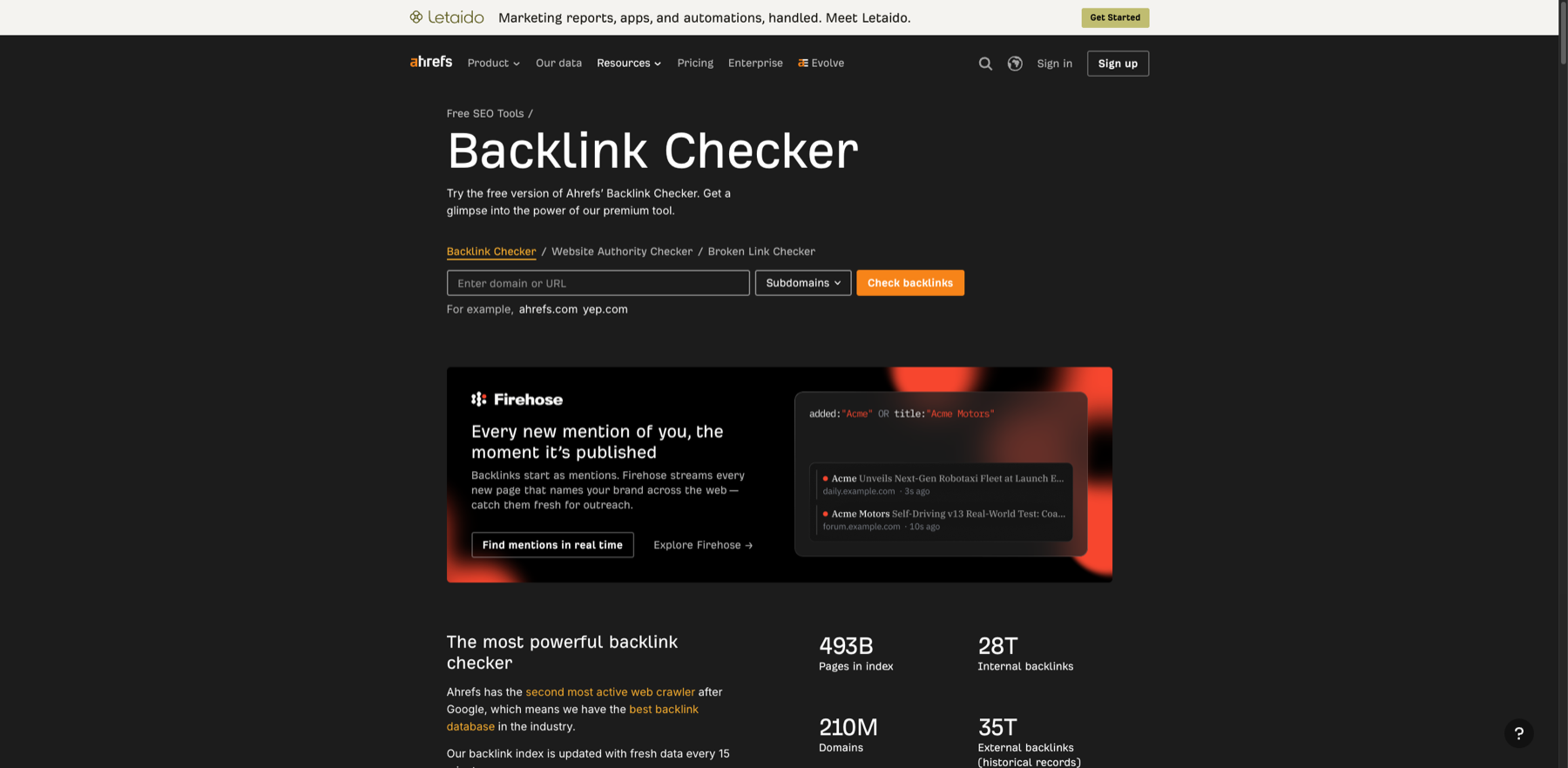
Fix the target scope first so domain modes do not produce incomparable results. Markers- 1 Target domain or URL
- 2 Domain mode
- 3 Run check
Choose the whole domain, subdomain, or exact URL before querying. This is the free checker entry; a formal backlink gap still requires a supported Link Intersect or gap report.
Verify source: Ahrefs official Backlink Checker
You have a query sequence with an estimated credit cost.
Step 2
“Use gap reports to find candidates”, then “Export early and avoid repeated refreshes”
Keep only the evidence needed for “Use gap reports to find candidates” and “Export early and avoid repeated refreshes”. Record why each filter changes so the result remains reproducible instead of becoming an unexplained screenshot.
- 2.1
Use gap reports to find candidates
Run keyword gap and link intersect separately, retaining results tied to business topics, target pages, or authoritative sources.
- 2.2
Export early and avoid repeated refreshes
Export once enough fields are available and sort, label, and deduplicate in a sheet instead of creating new queries for every filter change.
The candidate list includes source, target page, evidence, and next action.
Step 3
“Manually inspect priority candidates” and “Record consumption and reuse conditions”
Do not stop at tool output. Use “Manually inspect priority candidates” and “Record consumption and reuse conditions” to verify quality, limitations, and ownership so “A reviewable keyword and backlink opportunity list that conserves query credits” becomes actionable.
- 3.1
Manually inspect priority candidates
Open real pages to verify relevance, link context, search intent, and freshness rather than relying on tool scores alone.
- 3.2
Record consumption and reuse conditions
Save credit usage, exports, and filter templates so the next run refreshes only what changed.
The list is manually reviewed and includes a plan to reduce the next round of queries.
WHO · HOW · WHY
How this guide was written and reviewed
- Who
- Independently written and manually reviewed by the RelayX Editorial Team, with update and capture dates shown on the page.
- How
- Fix geography, time, device, and domain scope first, then cross-check third-party estimates with owned analytics, search-console data, or public pages. No single traffic or authority score is treated as a business result.
- Why
- The goal is not to restate product features but to help you produce “A reviewable keyword and backlink opportunity list that conserves query credits”. The workflow is organized around that outcome with checkpoints, limitations, and next actions.
Interface captures come from official accessible product pages or the current browser interface. Each appears under its matching step with numbered controls and data points. When real functional UI cannot be publicly verified, the guide says so instead of using a marketing homepage as filler. No third-party tutorial text or imagery is reused; third-party brands and interface rights remain with their respective owners.