
TL;DR
Three ideas before you begin
- Use the tool for quality improvement, not rule evasion
- Process small sections and verify facts individually
- The submitter or publisher remains responsible for the final work
Before you start
Prepare the inputs
- Confirm that AI-assisted editing is allowed for the content
- Keep the original draft, sources, and authorship information
- Understand character quota and audience readability requirements
Step 1
From “Check policy and purpose first” to “Clean input and protect sensitive data”
To produce “A more natural, accurate edited draft with clear human accountability”, make “Check policy and purpose first” and “Clean input and protect sensitive data” a reviewable starting point. Every later filter and judgment should preserve this scope.
- 1.1
Check policy and purpose first
If a school, client, employer, or publisher requires disclosure or prohibits AI assistance, follow that rule and do not treat a detector score as permission.
- 1.2
Clean input and protect sensitive data
Remove passwords, personal data, client secrets, and unpublished information, and split long drafts into purpose-specific sections.
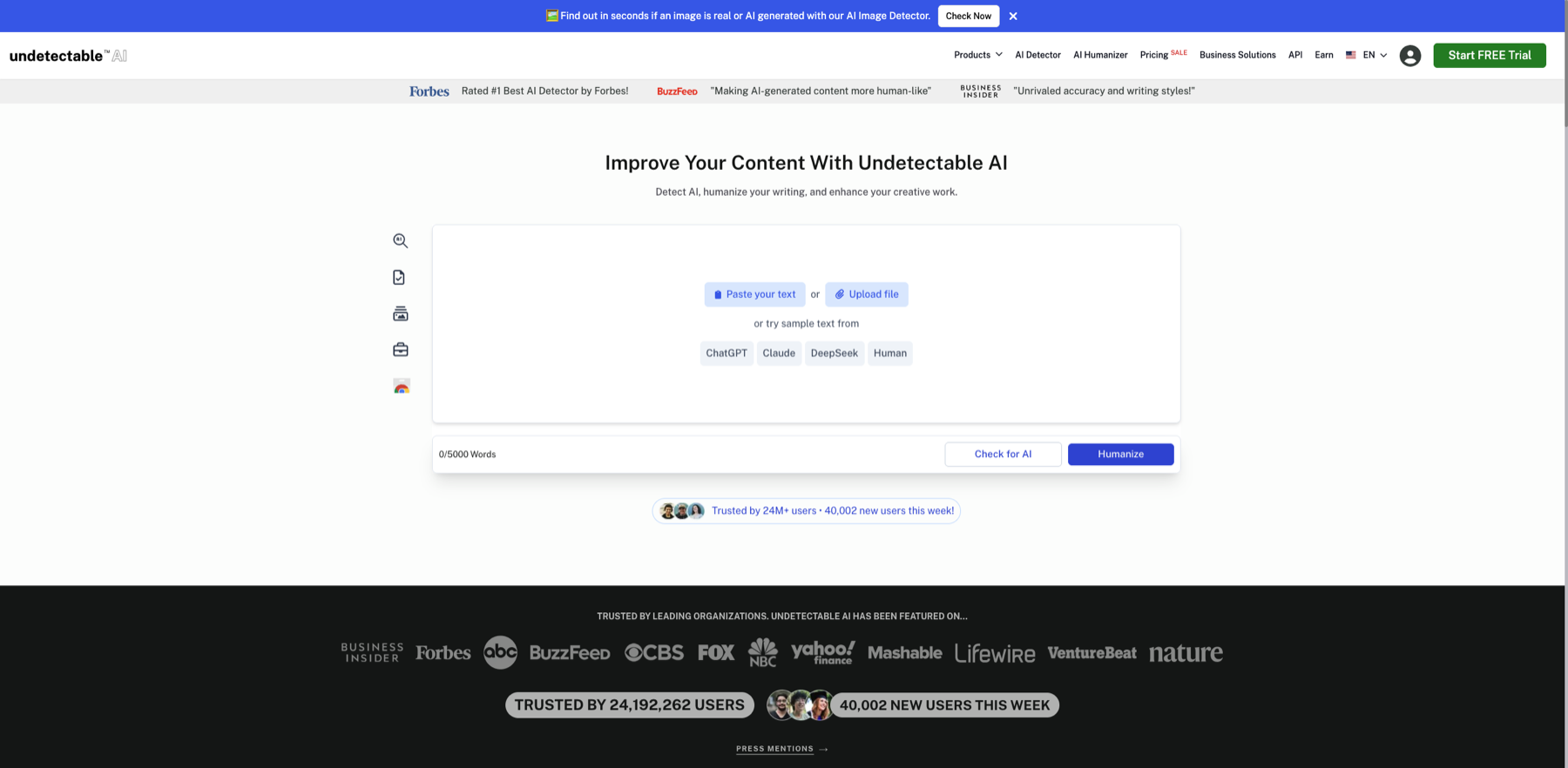
Remove sensitive information before upload and decide whether the task is detection or text refinement. Markers- 1 Paste text
- 2 Upload file
- 3 Run detection
- 4 Refine text
Remove sensitive or unauthorized text before distinguishing detection from refinement. A detector score cannot establish authorship, copyright ownership, or factual accuracy.
Verify source: Undetectable AI official editor
The use is compliant, sensitive information is removed, and the original is retained.
Step 2
“Choose readability for the audience”, then “Compare changes section by section”
Keep only the evidence needed for “Choose readability for the audience” and “Compare changes section by section”. Record why each filter changes so the result remains reproducible instead of becoming an unexplained screenshot.
- 2.1
Choose readability for the audience
Use conservative settings on a small sample, focusing on repetition, stiffness, and sentence variety without changing facts or conclusions.
- 2.2
Compare changes section by section
Compare against the original for new claims, removed qualifiers, and tone shifts, reverting anything that cannot be verified.
The edited sample reads better without changing facts, qualifications, or position.
Step 3
“Manually verify facts and sources” and “Disclose when required and preserve versions”
Do not stop at tool output. Use “Manually verify facts and sources” and “Disclose when required and preserve versions” to verify quality, limitations, and ownership so “A more natural, accurate edited draft with clear human accountability” becomes actionable.
- 3.1
Manually verify facts and sources
Reopen primary sources and verify numbers, names, dates, quotations, and terminology; detector results do not replace this step.
- 3.2
Disclose when required and preserve versions
Follow applicable attribution or disclosure rules and keep original, tool-edited, and human-edited versions for audit and rollback.
The final draft passes human editing, source verification, and applicable-policy checks.
WHO · HOW · WHY
How this guide was written and reviewed
- Who
- Independently written and manually reviewed by the RelayX Editorial Team, with update and capture dates shown on the page.
- How
- Test modes with a short, non-sensitive sample, then manually review facts, tone, citations, rights, and intended use. Detector scores are not treated as proof of authorship or compliance.
- Why
- The goal is not to restate product features but to help you produce “A more natural, accurate edited draft with clear human accountability”. The workflow is organized around that outcome with checkpoints, limitations, and next actions.
Interface captures come from official accessible product pages or the current browser interface. Each appears under its matching step with numbered controls and data points. When real functional UI cannot be publicly verified, the guide says so instead of using a marketing homepage as filler. No third-party tutorial text or imagery is reused; third-party brands and interface rights remain with their respective owners.