
TL;DR
Three ideas before you begin
- Choose a mode first, then adjust synonym strength gradually
- Process paragraph by paragraph for easier review
- Check every fact, quotation, and proper noun against the source
Before you start
Prepare the inputs
- Keep the original draft and its sources
- Define audience, purpose, and desired tone
- Confirm AI-use rules from the school, client, or publishing platform
Step 1
From “Mark information that must not change” to “Choose one editing objective”
To produce “A tone-consistent draft that preserves meaning and has passed fact and citation review”, make “Mark information that must not change” and “Choose one editing objective” a reviewable starting point. Every later filter and judgment should preserve this scope.
- 1.1
Mark information that must not change
Mark data, quotations, terminology, brand names, and legal wording before rewriting to prevent semantic drift.
- 1.2
Choose one editing objective
Choose one primary objective—concise, fluent, formal, or creative—instead of mixing conflicting styles.
The original copy, protected items, and target tone are saved.
Step 2
“Start conservatively with one paragraph”, then “Accept or revert sentence by sentence”
Keep only the evidence needed for “Start conservatively with one paragraph” and “Accept or revert sentence by sentence”. Record why each filter changes so the result remains reproducible instead of becoming an unexplained screenshot.
- 2.1
Start conservatively with one paragraph
Choose a mode matching the goal, begin with low synonym strength, and check that the core argument and logic remain intact.
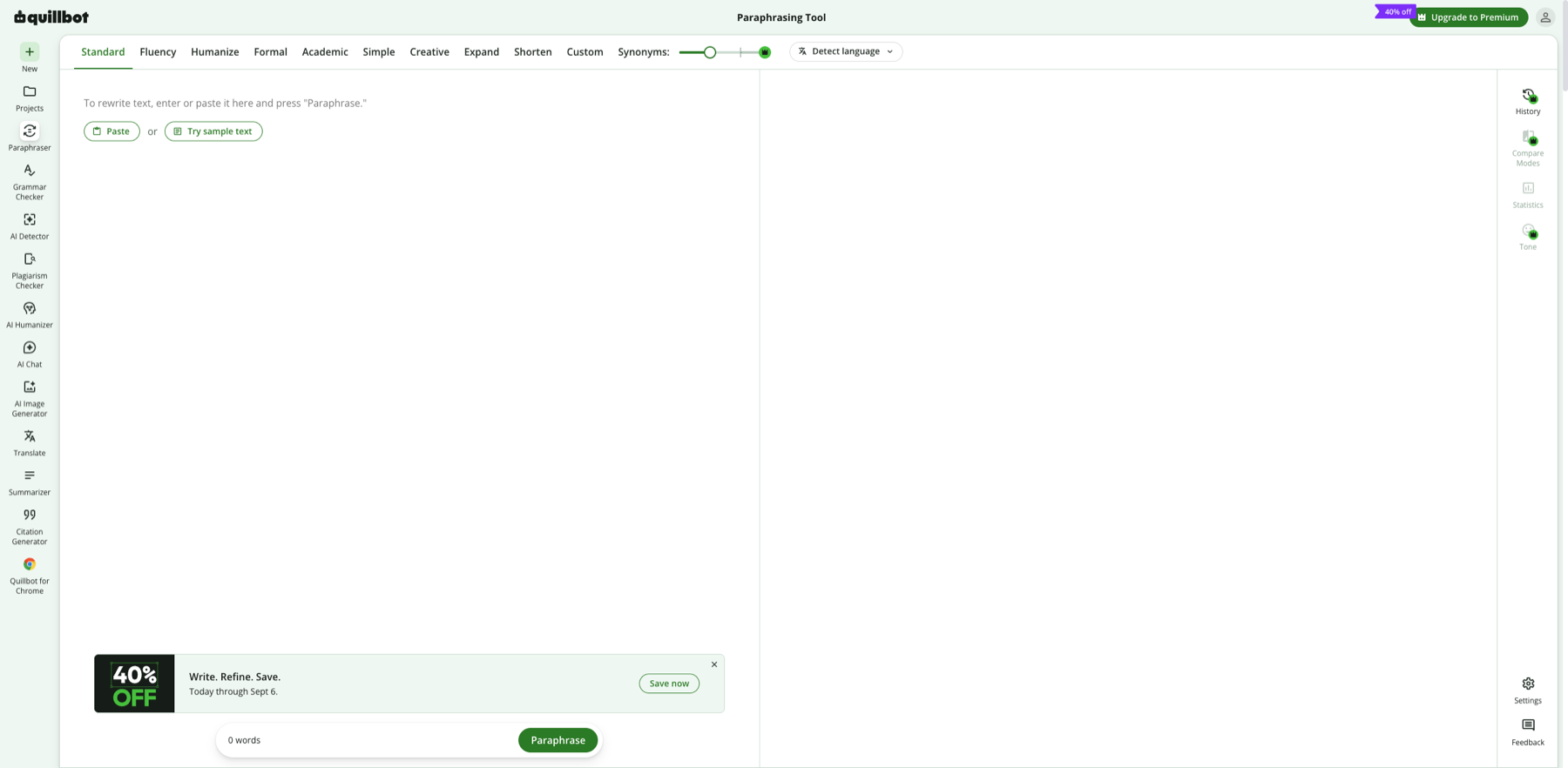
Test a short sample with conservative settings before increasing the rewrite intensity. Markers- 1 Rewrite mode
- 2 Synonym strength
- 3 Source input pane
- 4 Output review pane
The mode sets the rewriting goal and the synonym slider controls change intensity. Test a short sample, process section by section, and verify facts, tone, and citations in the output.
Verify source: QuillBot official Paraphraser - 2.2
Accept or revert sentence by sentence
Do not replace a whole paragraph without review. Restore and manually edit sentences that sound awkward, exaggerated, or change the position.
The trial paragraph passes a manual comparison for meaning, tone, and readability.
Step 3
“Review facts, citations, and consistency” and “Read once outside the tool”
Do not stop at tool output. Use “Review facts, citations, and consistency” and “Read once outside the tool” to verify quality, limitations, and ownership so “A tone-consistent draft that preserves meaning and has passed fact and citation review” becomes actionable.
- 3.1
Review facts, citations, and consistency
Verify numbers, names, links, quotations, and terminology, then standardize voice, tense, and punctuation.
- 3.2
Read once outside the tool
Read the draft in its final publishing environment, check transitions, formatting, and accessibility, and retain the edit history.
The final draft is traceable to the original and sources and complies with applicable AI-use rules.
WHO · HOW · WHY
How this guide was written and reviewed
- Who
- Independently written and manually reviewed by the RelayX Editorial Team, with update and capture dates shown on the page.
- How
- Test modes with a short, non-sensitive sample, then manually review facts, tone, citations, rights, and intended use. Detector scores are not treated as proof of authorship or compliance.
- Why
- The goal is not to restate product features but to help you produce “A tone-consistent draft that preserves meaning and has passed fact and citation review”. The workflow is organized around that outcome with checkpoints, limitations, and next actions.
Interface captures come from official accessible product pages or the current browser interface. Each appears under its matching step with numbered controls and data points. When real functional UI cannot be publicly verified, the guide says so instead of using a marketing homepage as filler. No third-party tutorial text or imagery is reused; third-party brands and interface rights remain with their respective owners.