AdSpy Practical Guide: From Ad Search to a Creative Testing Matrix
A practical AdSpy guide for paid social, ecommerce, and creative teams. Learn a 15-minute search workflow, evidence grading, broad-to-narrow filters, Hook-to-CTA analysis, landing-page checks, competitor monitoring, and single-variable tests without mistaking observed signals for campaign results.
Open article contents
AdSpy Practical Guide: From Ad Search to a Creative Testing Matrix
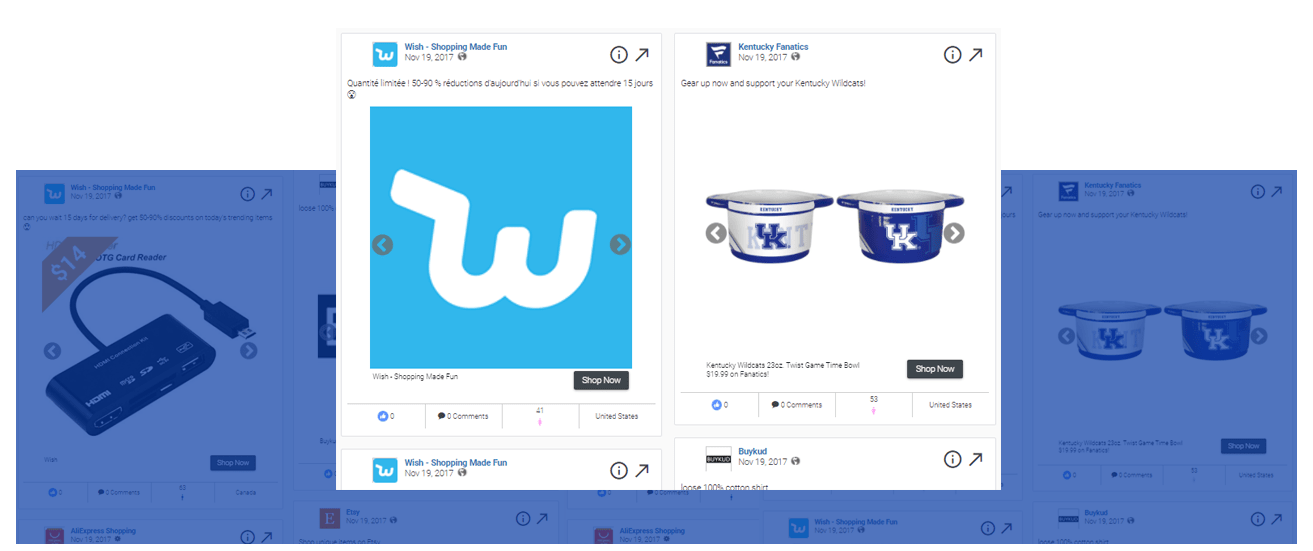
Figure: A thematic cover generated with ImageGen, not an official AdSpy interface or ad creative. Its elements summarize the research sequence of search, analysis, and validation.
Last updated: August 24, 2026
Intended for: paid social, ecommerce growth, creative strategy, competitive research, and agency teams
Source boundary: AdSpy has limited public help documentation. This guide is based on capabilities verifiable on its public official page; interface fields, database coverage, and account limits must be confirmed in your current account.
AdSpy is a searchable database of Facebook and Instagram ads. It is best suited to answering “What language is the market using?” and “Which patterns are worth validating?” It is not suited to answering “How much did this ad spend?” or “What was its actual ROAS?” Those questions require the advertiser’s own platform data, attribution system, profit data, and incrementality tests.
This guide provides a reproducible workflow: produce one sound hypothesis in 15 minutes, narrow the search systematically, validate findings by evidence level, and finally connect ad structure, landing-page continuity, and a testing matrix in one task brief.
Table of Contents
- 15-Minute Quick Start
- What AdSpy Can Help You Answer
- Separate Officially Verifiable Capabilities from Account-Level Checks
- Evidence Levels: What Is Strong Enough to Support a Conclusion
- Interface Guide: Identify Five Control Areas First
- Complete Example: Build a Reproducible Search from Broad to Narrow
- Analyze an Ad from Hook to CTA
- Follow the Ad Through to the Landing Page
- Turn Findings into a Testing Matrix
- Set Up Competitor Monitoring
- Copyable Creative Analysis Template
- Access, Pricing, and RelayX Notes
- Common Mistakes and Troubleshooting
- 30-Day Implementation Plan
- Frequently Asked Questions
- Sources
15-Minute Quick Start
The goal of this pass is not to find a “winning ad.” It is to produce one testable creative hypothesis. Prepare a research sheet with four columns: query date, filters, evidence level, and next step.
| Time | Action | Output |
|---|---|---|
| 0–2 minutes | Define the market, audience, category, time frame, and question | One-sentence research question |
| 2–5 minutes | Fix the country, language, media type, and date range | A reproducible base filter set |
| 5–9 minutes | Run a broad search with 1–3 keywords in the market’s language | A set of candidate market messages |
| 9–12 minutes | Open five candidates and record the hook, promise, proof, and CTA | Five structured samples |
| 12–15 minutes | Identify cross-ad patterns and publicly verify one item | One hypothesis ready for testing |
Use this research-question template:
When promoting [category/use case] to [audience] in [country/language], which [hook/proof/media format] patterns recur during [time frame], and what kind of landing page carries the message forward?
There are only three completion criteria: the filters are reproducible, the conclusion does not depend on a single ad, and the next step can be expressed as a test that changes only one primary variable.
What AdSpy Can Help You Answer
| Research question | Available signals | Acceptable output |
|---|---|---|
| What is the market talking about right now? | Ad text, country, language, Last seen, media type | A list of themes and creative angles |
| Which messages do competitors use repeatedly? | Page name, URL, ad text, observation dates | A competitor messaging and variation map |
| What are people asking in the comments? | Comment keywords, sentiment, and question types | A library of needs, objections, and customer language |
| How does the ad lead into the page? | URL, landing page, Affiliate/Offer/Technology clues | An ad-to-page-to-offer path |
| Which variables deserve a small-scale test? | Cross-ad patterns, continued observation, comments, and external verification | A testing matrix with evidence levels |
The official AdSpy website explicitly lists search or filtering by ad text, URL, page name, likes, media type, Last seen, user reactions, and comments, along with Affiliate Network, Affiliate ID, Offer ID, and landing-page technologies. These are research inputs, not ground truth about campaign performance.
Separate Officially Verifiable Capabilities from Account-Level Checks
Capabilities Explicitly Described on the Official Website
- Search by ad text, URL, and page name.
- Search or sort using likes, media type, Last seen, user reactions, and related dimensions.
- Search ad comments by keyword.
- Use Affiliate Network, Affiliate ID, Offer ID, and landing-page technology clues.
- Access estimated audience dimensions such as location, gender, and age range.
- Search a database of Facebook and Instagram ads.
Items You Must Confirm After Signing In
The following can vary by account, date, data coverage, and product updates, so do not hard-code them based solely on the public marketing page:
- Current filter names, locations, defaults, and combination logic.
- Supported countries, languages, media subtypes, and date ranges.
- Result counts, update frequency, and completeness of ad coverage.
- Save, Export, sort, bulk-action, and team-collaboration capabilities.
- Request, concurrency, download, or export limits.
- The interpretation applied to estimated fields such as Demographics.
Before conducting research at scale, run a calibration search with a known ad or page name. Confirm whether it appears, how fields are displayed, and how Last seen is defined in the current interface.
Evidence Levels: What Is Strong Enough to Support a Conclusion
The most common problem in ad intelligence is not a lack of data; it is presenting a clue as a fact. Assign every finding an A, B, or C evidence level.
| Level | Standard | Acceptable wording | Next step |
|---|---|---|---|
| A: Verified | The AdSpy record is corroborated by the advertiser’s public page, Meta Ad Library, or the current landing page | “Still verifiable through public sources as of the query date” | Include it in decision materials and retain the date and links |
| B: Pattern evidence | The same pattern appears across multiple advertisers or independent variations within a consistent search scope | “Repeated in this sample and worth testing” | Add external validation or first-party data |
| C: Single clue | One ad, one comment, or one estimated field | “One candidate clue was identified” | Do not conclude; gather more samples |
Regardless of the evidence level, AdSpy cannot prove actual spend, conversion rate, ROAS, profit, or incremental impact. Those judgments must be made with your own ad-platform, attribution, and experiment data.
Interface Guide: Identify Five Control Areas First
After signing in and opening the ad search interface, do not stack filters continuously. Review five groups in order: search object, market, time and media, engagement and comments, and advanced clues.
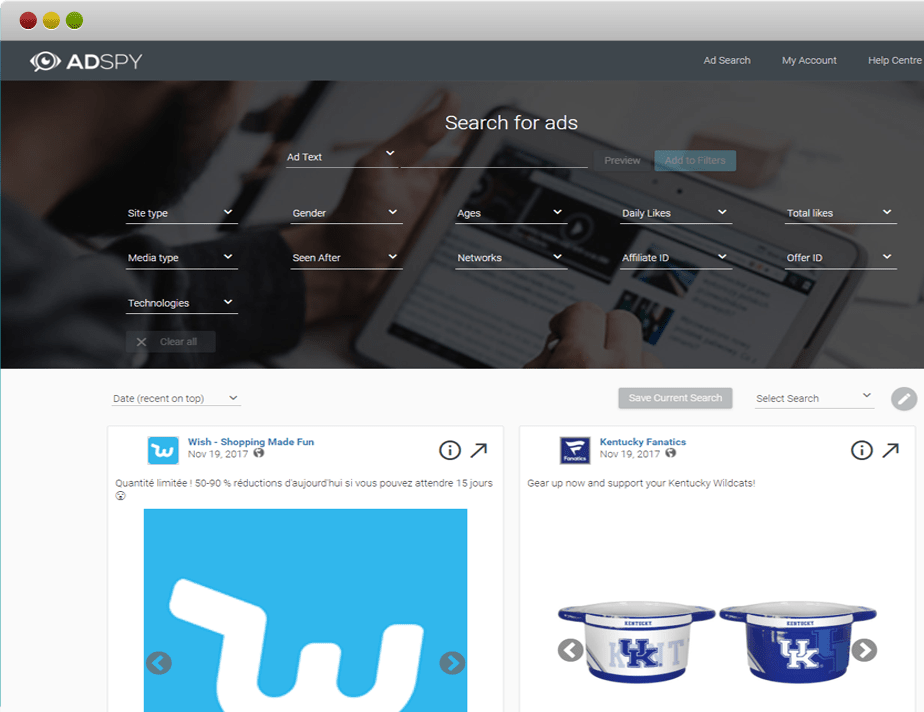
Figure: Teaching interface mockup with sample data, not an official live screenshot. Actual entry points, field names, ordering, and availability depend on the current AdSpy account.
| Control area | Typical inputs | Question to answer first | Common misreading |
|---|---|---|---|
| Search object | Ad Text, URL, Page Name | Are you searching content, a landing page, or an advertiser? | Treating identically named pages as the same entity |
| Market scope | Country, Language, estimated audience | Do the samples belong to the same market? | Treating estimated demographics as actual platform targeting |
| Time and media | Last seen, first observation, Media Type | Are you researching recent, evergreen, or format-specific ads? | Treating observation dates as actual campaign start and end dates |
| Engagement and comments | Likes/Reactions, Comments | Which candidates deserve manual review? | Treating engagement volume as a conversion outcome |
| Advanced clues | Affiliate, Offer, Landing Technology | Do you need to trace an affiliate or page-technology path? | Inferring business performance from a technology label |
Use this reading order: verify the filter scope, review the advertiser and copy, inspect observation dates and media, and only then read comments and the landing page. This reduces the bias of noticing an attractive creative first and inventing a rationale afterward.
Complete Example: Build a Reproducible Search from Broad to Narrow
Example Setup
- Research goal: Find opening-frame and copy hooks for an email automation product aimed at small ecommerce teams.
- Market: United States, English.
- Time: The 90 days preceding the query date.
- Media: Analyze video and image ads separately first.
- Required output: Three creative patterns at evidence level B or higher, plus one executable test.
Keep keywords in the market’s original language; use another language only for annotations:
- Category terms:
email automation,email marketing. - Pain-point terms:
manual follow-up,low repeat purchase. - Outcome terms:
recover sales,save time. - Use-case terms:
for ecommerce,for small teams. - Exclusion candidates:
jobs,course, and unrelated brand terms.
Six-Pass Narrowing Method
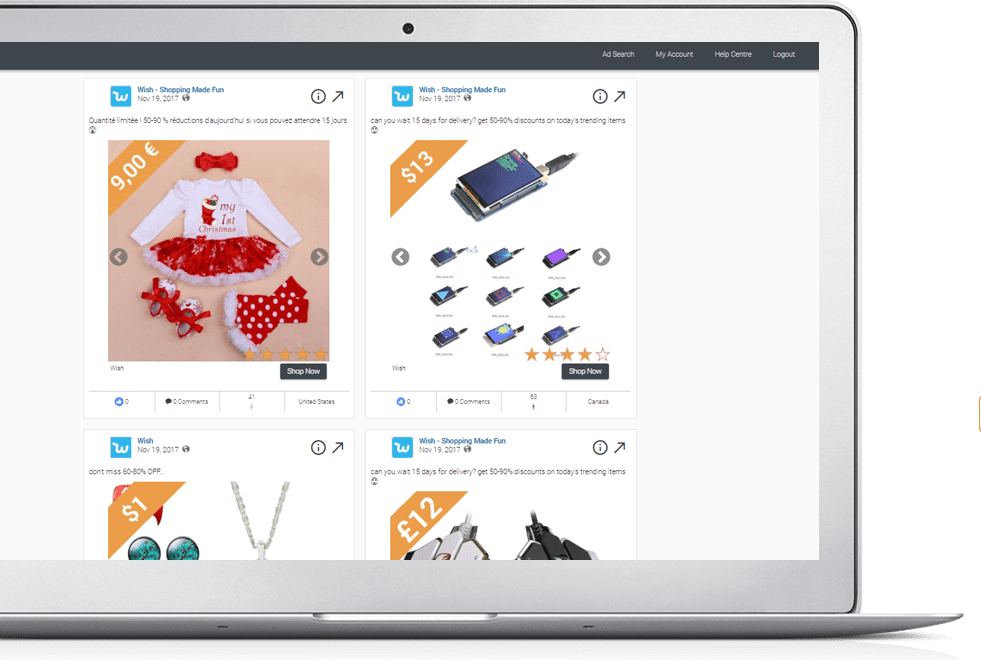
Figure: Teaching interface mockup with sample data, not an official live screenshot. Counts in the diagram only illustrate narrowing logic and do not represent live AdSpy data.
| Pass | Condition added or changed | The only question for this pass | How to step back if results are too narrow |
|---|---|---|---|
| 1. Broad search | Enter one category term only | Which phrases are common in the market? | Try a synonym without adding filters |
| 2. Fix the market | Country = US; Language = English | Which candidates belong to the same market? | Keep language fixed and broaden country for comparison |
| 3. Fix the time frame | Last seen falls within the past 90 days | Which ads were observed recently? | Expand to 180 days and record the change |
| 4. Split by media | Analyze Video and Image separately | How do hooks differ within the same format? | Combine formats only to discover terms, not to conclude on format |
| 5. Trace the entity | Page Name, URL, or known domain | How does one advertiser vary a concept? | Check spelling, redirects, and page aliases |
| 6. Review feedback | Comment terms such as price, work, or refund | What needs or objections do people raise? | Broaden comment terms and switch to manual theme coding |
For every pass, record the new condition, approximate result volume, retained samples, and exit reason. If you apply six filters at once and get no results, you cannot tell which condition made the search too narrow.
Sampling and Deduplication
Select 15–30 ads from the final two passes, then deduplicate in this order:
- Keep one instance when the advertiser, copy, and media are identical.
- If the copy is the same but the opening frame or media differs, label the items as creative variants.
- If the media is the same but the Hook, Proof, or CTA differs, label the items as copy variants.
- When multiple ads lead to the same landing page, record the ad-to-page relationship instead of counting the page repeatedly.
- Retain the query date and original links so that a later page update is not mistaken for the evidence available at the time.
Write the Search Finding as a Testable Statement
Not acceptable: Outcome-led opening frames perform best.
Acceptable: In this sample of English-language US video ads observed within the past 90 days, four different advertisers repeatedly used an “outcome first, mechanism second” opening-frame structure. This is currently level-B pattern evidence and should be tested against a feature-led opening frame with the same audience and offer.
Analyze an Ad from Hook to CTA
Analyze each candidate with five layers. Mechanism may be added between Promise and Proof, but it must not substitute for evidence.
| Layer | Question | How to record it | Testable variables |
|---|---|---|---|
| Hook | Why would the first line or first three seconds stop someone? | Short source summary + attention device | Pain point, outcome, contrarian idea, identity |
| Problem | Which cost or obstacle does it make concrete? | Audience + context + consequence | Time, money, risk, complexity |
| Promise | What change does it promise, and can it be verified? | Outcome + time + conditions | Functional benefit, business outcome, emotional outcome |
| Proof | Why should someone believe it? | Demo, case study, number, testimonial, mechanism | Demo-led, case-led, data-led |
| CTA | What should the user do next, and how much friction is involved? | Action + destination + commitment | Learn more, start a trial, claim, purchase |
Do not copy entire passages of ad copy. Retain only short analytical summaries and structural labels. Images, video, trademarks, likenesses, and comments may be protected by copyright, trademark, publicity rights, or platform terms.
How Comments Fit into the Analysis
AdSpy’s official website explicitly states that comments can be searched by keyword. Classify comments into:
- Needs: What the person is explicitly trying to accomplish.
- Objections: Price, credibility, complexity, time, or fit.
- Questions: Features, shipping, refunds, compatibility, or availability by location.
- Use context: How people describe their situation in their own words.
- Risks: Complaints, misleading claims, service issues, or quality concerns.
Comments are a biased sample and may contain spam, extreme opinions, or personal information. Do not treat comment proportions as market proportions; record themes, and de-identify any quoted language.
Follow the Ad Through to the Landing Page
An ad structure becomes a complete hypothesis only when it is consistent with the landing-page experience. After opening a public URL, review the following in order:
| Check | Question | Action if you find a problem |
|---|---|---|
| Message match | Does the first screen continue the ad’s audience, pain point, and promise? | Record the message break as a testing risk |
| Offer | Are the product, trial, discount, price, and eligibility clear? | Record the offer separately; do not attribute it to the creative |
| Proof | Is the evidence verifiable and appropriately qualified? | Flag exaggeration or insufficient support |
| Friction | Do load time, mobile layout, forms, or navigation create friction? | Evaluate page friction separately from ad clicks |
| Risk reversal | Are refunds, privacy, guarantees, and terms transparent? | Escalate for compliance or legal review |
| Tracking clues | What do URL parameters or technology labels indicate? | Record only technical clues; do not probe protected data |
Analyze public pages only. Do not bypass sign-in, paywalls, or security controls, submit forms, or test a real purchase unless you have explicit authorization.
Turn Findings into a Testing Matrix
Write the observation and the decision separately. A sound task brief includes the observation, evidence level, hypothesis, one primary variable, primary metric, guardrail metrics, and stopping rule.
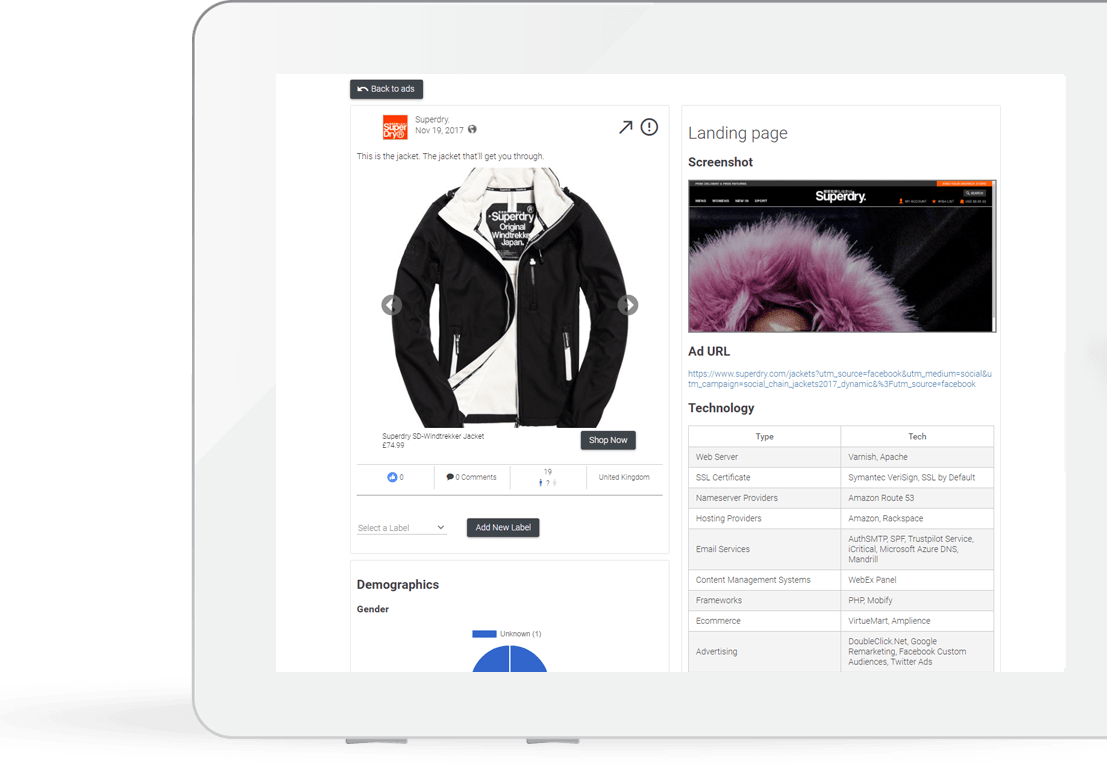
Figure: Teaching interface mockup with sample data, not an official live screenshot. The Hook, Problem, Promise, Proof, CTA, and test results shown are instructional examples.
Example Task Brief
- Observation: Four advertisers show a before-and-after automation outcome in the opening frame of video ads.
- Evidence: Level B; the pattern recurs across advertisers.
- Hypothesis: The audience needs to understand the outcome before it will engage with a feature explanation.
- Variable: Outcome-led opening frame vs feature-led opening frame.
- Hold constant: Audience, offer, main copy, CTA, landing page, placement, and budget rules.
- Primary metric: Qualified landing-page visits, registrations/leads, or purchases.
- Guardrail metrics: Hides, complaints, bounce, refunds, and low-quality leads.
- Stopping rule: Define sample size, duration, budget, and minimum meaningful difference before launch.
Executable Testing Matrix
| Test | Primary variable | Version A | Version B | Hold constant | Decision metric |
|---|---|---|---|---|---|
| T1 | Hook | Pain-point opening | Outcome opening | Audience, offer, page | Qualified visit/conversion |
| T2 | Proof | Product demo | Customer case study | Hook, CTA, page | Conversion and lead quality |
| T3 | CTA | Learn more | Free trial | Creative, audience, offer | Conversion rate and downstream activation |
| T4 | Page continuity | Feature-led hero | Outcome-led hero | Ad and traffic allocation | Conversion and bounce |
Where possible, change only one primary variable per test. If creative, audience, placement, bidding, and page all change together, you cannot determine what caused a better result.
Set Up Competitor Monitoring
Maintain five to eight monitored entities per category: three direct competitors, two new entrants, one or two cross-category creative references, and your own brand as a baseline.
Update these fields weekly:
| Field | What to record | Do not interpret it as |
|---|---|---|
| New ad/variant | New Hook, media, Proof, or CTA | “A new ad means budget increased” |
| Continued observation | Found in both last week’s and this week’s searches | “Continued observation means profitability” |
| Not found this week | Search recipe and last observation date | “Not found means the campaign stopped” |
| New landing page | Changes to URL, hero, offer, or proof | “A page change means conversion declined” |
| Comment themes | New needs, objections, or risks | “Comment share equals market share” |
| Action | Verify, test, or ignore, with the reason | Saving examples without making a decision |
Database coverage, filters, geography, and update timing can all produce gaps. Monitoring reports should say “not found in this query,” not “the advertiser is not running ads.”
Copyable Creative Analysis Template
Copy the Markdown below into your team document. Use one copy per ad. Variants of the same concept may share a research question, but their variables should be recorded separately.
### Ad sample: <internal ID>

- Query date: YYYY-MM-DD
- Research question:
- Market / language / media:
- Complete filter set:
- AdSpy record / public verification link:
- Advertiser / Page:
- First seen / Last seen (record the interface fields exactly):
- Evidence level: A / B / C

#### Creative structure

| Layer | Observation | Testable variable |
| --- | --- | --- |
| Hook |  |  |
| Problem |  |  |
| Promise |  |  |
| Proof |  |  |
| CTA |  |  |

#### Audience and landing page

- Needs found in comments:
- Objections found in comments:
- Ad-to-landing-page continuity:
- Offer and Proof:
- Compliance / rights risk:

#### Decision

- Observation:
- Hypothesis:
- One primary variable:
- Version A / B:
- Hold constant:
- Primary metric:
- Guardrail metrics:
- Sample, duration, and stopping rule:
- Owner / due date:
Access, Pricing, and RelayX Notes
As of August 24, 2026, the official AdSpy website displays promotional language for “$149/month” and “virtually unlimited usage,” while describing the price as an introductory offer. Pricing, tax, renewal terms, and search or export limits may change; refer to the current checkout page and account terms.
RelayX only provides the tool entry point and shared-access notes. See the internal marketing growth solution and AdSpy tool page. For shared use, follow four rules: save the query recipe before running it; do not enter nonpublic client strategy or personal data; do not connect personal advertising or payment accounts; and ensure exports and screenshots comply with rights, platform policy, and team permissions. RelayX request accounting is not the same as AdSpy’s use of the term “usage”; rely on the actual account counter.
Common Mistakes and Troubleshooting
| Problem | Cause | Correction |
|---|---|---|
| Treating high engagement as a winning ad | Follower base, duration, market, and objectives differ | Use it only as a candidate; validate with first-party conversion and profit data |
| Treating Last seen as proof an ad is live now | It is the database’s most recent observation date | Verify through public sources and record the query date |
| Unable to find a competitor | Page name, region, date, spelling, or coverage issue | Broaden one condition at a time and verify by URL/domain |
| Too many results | Research question is too broad or uses only generic terms | Fix the market, time, media, and pain point |
| Too few results | Filters were stacked too aggressively | Roll back one pass at a time and record which condition caused the drop |
| A copied approach performs poorly | Brand, audience, offer, and page context were ignored | Extract the principle only, then create and test an original execution |
| Treating Demographics as actual platform targeting | The public page describes assessment/estimation | Use it only to form a hypothesis; do not report it as the actual setup |
| Requests are consumed too quickly | Repeated trial terms, refreshing, and no query log | Plan keywords and exclusions first, then research in batches |
30-Day Implementation Plan
Week 1: Calibration and Baseline
- Calibrate the current account fields with a known ad or page name.
- Choose one country, language, category, and audience.
- Establish five to eight monitored entities.
- Standardize the search recipe and creative analysis template.
Week 2: Systematic Search
- Complete broad search, market, time, and media grouping.
- Select 15–30 candidate ads.
- Deduplicate and cluster by Hook, Problem, Promise, Proof, and CTA.
- Assign an A/B/C evidence level to every finding.
Week 3: Comments and Landing Pages
- Code comment themes for high-priority samples.
- Review message match between each ad and landing page.
- Produce three to five creative hypotheses.
- Complete rights, brand, and compliance review.
Week 4: Small-Scale Validation
- Change only one primary variable in each test.
- Define primary metrics, guardrails, and stopping rules in advance.
- Record audience, offer, page, and delivery conditions.
- Use actual conversion, profit, and lead-quality data to retain, iterate, or stop.
Frequently Asked Questions
Can AdSpy Show an Ad’s Actual Spend and ROAS?
No. The official feature description does not provide access to an advertiser’s backend spend, attribution, profit, or incremental results. Engagement, comments, and continued observation can only help identify candidates.
Does a Recent Last seen Date Mean the Ad Is Live Right Now?
Not necessarily. It means the database observed the ad recently. Validate important conclusions with Meta Ad Library, the advertiser’s public page, or the current landing page, and record the query date.
Can I Download and Reuse the Creative Directly?
Do not assume that visibility grants reuse permission. Study the structure, theme, and communication logic, then create an original execution. Images, video, copy, trademarks, likenesses, and comments may all be protected by rights or platform terms.
Are Comments Useful for Customer Research?
They are useful for discovering language, questions, and objections, but not for estimating market proportions. Important product decisions also require interviews, support data, surveys, and observed behavior.
Does “Observed for a Long Time” Prove an Ad Is Profitable?
No. It may reflect continued delivery, but it may also be influenced by low budgets, database coverage, or observation methods. Profitability requires backend ad data, costs, refunds, repeat purchase, and incrementality data.
Sources
- AdSpy Official Website and Feature Overview
- Meta Ad Library
- Meta Advertising Standards
- RelayX: Marketing Growth Solution
- RelayX: AdSpy Tool Page
This guide is an original synthesis reorganized and written using official pages accessible on August 24, 2026. All instructional images are teaching interface mockups with sample data, not official live AdSpy screenshots. Interface fields, database coverage, pricing, and account limits are subject to the current official pages and account. Ad research does not grant reuse rights; all creative and campaign activity should undergo copyright, platform-policy, and applicable-law review.