Apollo.io Practical Guide: From ICP Search to Sequences and a CRM Feedback Loop
A practical Apollo.io guide for B2B growth, SDR/BDR, and RevOps teams. It covers Companies and People Search, ICP filters, A/B/C segmentation, a 14-day Sequence, exit conditions, CRM field mapping, compliance governance, and a 30-day rollout plan.

Open article contents
Apollo.io Practical Guide: From ICP Search to Sequences and a CRM Feedback Loop
Figure: An ImageGen-created thematic cover, not an official Apollo interface. The visual summarizes filtering, validation, Sequences, and the CRM write-back flow.
Last updated: August 24, 2026
For: B2B growth teams, sales development teams (SDRs/BDRs), sales operations, and RevOps
Goal: Build a small deduplicated pilot list with assigned owners before designing segmentation, outreach, and CRM rules.
Apollo.io connects company and people search, data enrichment, scoring, lists, Sequences, and CRM sync. The most effective starting point is not “How many contacts can we export?” but whether the team can turn an ideal customer profile (ICP) into a reusable search recipe and clearly answer: Why this company? Why this person? Why now? When must contact stop?
This guide first helps you create an auditable pilot list in 15 minutes, then moves into A/B/C segmentation, a 14-day Sequence, field conflicts, and compliance governance. Email addresses, phone numbers, employment records, and signals in Apollo may be outdated or incomplete. A platform record also does not prove that a person has consented to marketing. Complete the applicable legal and organizational policy checks in this guide before any real outreach.
Table of Contents
- Get Started in 15 Minutes
- What Apollo.io Can Help You Solve
- Interface Guide: People, Companies, and Filter Logic
- Turn the ICP into a Reusable Search Recipe
- Workflow Overview: From Company Pool to CRM
- Workflow 1: Build a Company Pool and Find the Right Roles
- Workflow 2: Save, Validate, and Segment A/B/C
- Workflow 3: Design a 14-Day Sequence
- Workflow 4: CRM Field Mapping and Conflict Handling
- Worked Example: From 183 Companies to 20 Pilot Accounts
- Compliance, Sending, and Data-Governance Gates
- Plans, Credits, and RelayX Access Boundaries
- Common Mistakes and Troubleshooting
- 30-Day Implementation Plan
- FAQ
- Sources
Get Started in 15 Minutes
Use these 15 minutes only for list research. Do not connect a production mailbox, activate a Sequence, or enable full CRM sync.
| Time | Action | Completion criteria |
|---|---|---|
| 0–3 minutes | Write four company criteria, three people criteria, and five exclusions | One explainable ICP recipe |
| 3–6 minutes | Open Search → Companies → Show Filters, then apply location, size, industry/keywords, and a technology or signal | A company pool small enough to sample manually |
| 6–9 minutes | Switch to People and apply department, seniority, title, and contact-data status | One to three reasonable roles per company |
| 9–12 minutes | Randomly open ten company and people records and verify the site, role, and business relevance | At least eight records fit the ICP; otherwise revise the filters |
| 12–15 minutes | Exclude customers, open opportunities, and unsubscribed records; assign an owner and save to a pilot List | A small, deduplicated list with an owner on every record |
Keep the first round to about 20 companies and one to two roles per company. The output should include company, domain, contact, role, ICP evidence, trigger signal, owner, suppression status, and next action. Volume is not the success metric; explainability and reviewability are.
What Apollo.io Can Help You Solve
| Stage | Apollo capability | Required deliverable |
|---|---|---|
| Define the market | Companies / People Search and filters | A saved, reusable, versioned ICP search |
| Organize data | Accounts, Contacts, Lists, and Owner | A deduplicated list with assigned owners |
| Prioritize | Scores, Signals, Buying intent, and related features | A/B/C segments with explicit thresholds and rationale |
| Execute outreach | Sequences, email, phone/social tasks | A Sequence with purpose, cadence, exit conditions, and ownership rules |
| Sync systems | CRM integrations, field mapping, data-writing rules | System-of-record, field-source, overwrite, and conflict rules |
| Improve | Replies, meetings, opportunities, bounces, unsubscribes, and complaints | A feedback loop that revises the ICP, message, channel, and governance |
Apollo can improve research and execution efficiency. It does not replace human validation, sales judgment, sender-reputation management, or legal and compliance review.
Interface Guide: People, Companies, and Filter Logic
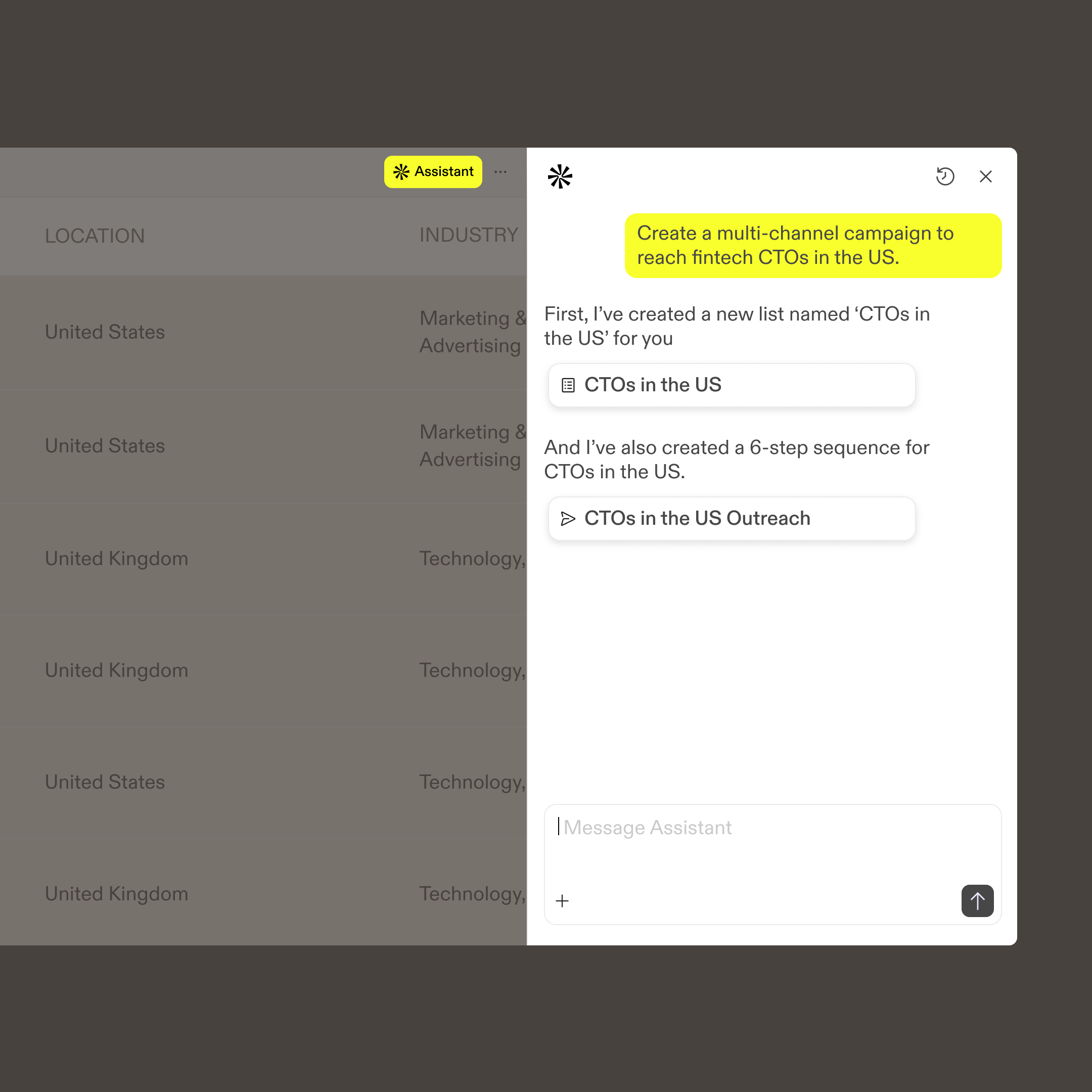
Figure: Teaching interface mockup with sample data, not a live official screenshot. Filter names, entry points, and available fields can vary by plan, region, and product update; use your current account as the source of truth.
Search Entry Points
- Launch Apollo and open
PeopleorCompanies. - Click
Show Filters → More Filtersto view the full set of filters. - Choose criteria and click
Apply filters; results update as filters change. - Review the definitions of Total, Net New, and Saved.
- Once the criteria are stable, click
Save as new searchand record its name, owner, and version date.
Apollo’s current filter documentation states that different filters use AND logic, while multiple values inside the same filter use OR logic. For example, if employee count is 51–200 and location is the United States, a record must meet both conditions. If a title filter includes Director and VP, a record can match either value. Apollo also states that search displays up to 100 pages; reaching that limit usually means the criteria are too broad and should be narrowed around the ICP rather than browsed page by page. Read the Search Filters Glossary
Total, Net New, and Saved
| Label | Meaning | Operations action |
|---|---|---|
| Total | All people or companies that match the current filters, including saved and unsaved records | Estimate market scale; do not treat it as reachable volume |
| Net New | Matching records not yet saved to the current workspace | Estimate new research workload and potential credit usage |
| Saved | Matching records already saved as Contacts or Accounts | Review Owner, list, stage, and prior action |
No results does not necessarily mean the market does not exist. Remove one condition at a time to find the restrictive filter, and check Saved in case the team has already saved the matching records.
Turn the ICP into a Reusable Search Recipe
The ICP is the company layer; a persona is the person layer. Building a company pool first, then finding buyers, business owners, and users within those accounts, is generally more stable than searching the full database by title alone.
Example Recipe: Customer-Support Automation for North American SaaS
Assume you sell a customer-support automation product to midsize SaaS companies. A first-pass recipe could be:
Companies Search
- Company headquarters: United States or Canada.
- Employee count: 51–200.
- Industry/keywords: Software, SaaS, B2B. Calibrate using real results rather than treating labels as absolute truth.
- Technologies: At least one of HubSpot, Zendesk, or Intercom.
- Signals: Recent hiring or headcount growth in customer support or customer success can add priority, but should not be the sole qualifying condition.
- Exclusions: Existing customers, open opportunities, competitors, student/community organizations, unsupported markets, and internal domains.
People Search
- Department / Job function: Customer Success, Support, Operations.
- Management level: Director, VP.
- Job titles:
Director of Customer Support,VP Customer Success,Head of Support, and close variants. - Email status: Prefer verified, but check again before sending.
- People per company: One to two, to avoid sending similar outreach to many people at the same account.
Output Rules
- Use company domain as a deduplication key; use CRM ID when available.
- Every contact must have an Owner. Records without an Owner do not enter a Sequence.
- Exclude unsubscribed, Do Not Contact, DNC, explicitly declined, and active-opportunity records.
- Audit 10% of records weekly. If more than 20% are false positives, revise the filters.
Apply Strong Criteria Before Timing Signals
Strong criteria answer “Is this a target customer?”—market, size, business model, and role. Signals answer “Is this account more timely to research?”—hiring, funding, growth, job change, or website activity. A timing signal should never override an obvious company or role mismatch.
Workflow Overview: From Company Pool to CRM

Figure: Original teaching workflow. Validate in small batches before moving to a Sequence or CRM. Any disqualifier should remove a record from automation.
A stable path is: ICP recipe → Companies → People → manual sample → deduplication/Owner → A/B/C → Sequence → CRM → outcome review. Add a human approval gate before “Enroll in Sequence” and “Enable CRM write-back.”
Workflow 1: Build a Company Pool and Find the Right Roles
Step 1: Start in Companies Search
Apply three to five strong criteria first: supported market, employee count or company stage, industry or keywords, key technology, and explicit exclusion lists. If the result remains too large to audit, do not add arbitrary filters. Return to the ICP and choose a criterion that explains likely need or fit.
Industry is usually broad. Keywords can be more specific but noisier. When both are used, sample company websites so an incidental word in a description does not create a false positive.
Step 2: Select One to Three Roles per Company
Cover three relationship types:
- Economic buyer: Can approve budget or change priority.
- Business owner: Accountable for the problem and outcome.
- User/influencer: Understands the current workflow and friction in detail.
Combine Job titles, Management level, Department/Job function, and contact Location. Company headquarters and contact location are different definitions and must be checked separately in cross-border programs.
Step 3: Make Exclusions Reusable
At minimum, exclude existing customers, active opportunities, unsubscribed/declined records, DNC/Do Not Contact, competitors, internal domains, personal email domains, unsupported markets, irrelevant functions, and people already enrolled in a similar Sequence.
RevOps should maintain exclusions as a shared List or CRM rule rather than relying on each SDR’s memory.
Step 4: Save the Search, Not Just One Result Set
Once the criteria are stable, click Save as new search. Use a naming pattern such as market-size-product-role-vDate; for example, NA-51_200-CSAuto-CSLeaders-v20260824. Record the expected volume and sample pass rate so the team can identify future changes in data distribution.
Workflow 2: Save, Validate, and Segment A/B/C
Five Checks Before Saving
- Does the company website, size, and business model still fit the ICP?
- Is the person still employed there, and is the role relevant to the problem?
- Is the email/phone status and data recency acceptable?
- Does the company, contact, or an active opportunity already exist in Apollo or the CRM?
- Are Owner, unsubscribe, Do Not Contact, and DNC statuses complete?
A verified Email status represents a data-quality state only. It does not guarantee delivery or indicate consent to marketing.
Custom 100-Point Rubric
| Dimension | Maximum | Example rule |
|---|---|---|
| Company fit | 50 | Industry 15, size 10, market 10, technology/business model 15 |
| Role fit | 30 | Department 10, seniority 10, title/responsibility 10 |
| Timing signals | 20 | Hiring/growth 10, clear business change 10 |
| Disqualifiers | Not scored | Existing customer, active opportunity, unsubscribe/DNC, or unsupported market removes the record |
This 100-point rubric is a team example, not an official Apollo Score. If you use Apollo Scores, review the filters and signals that contribute to the score. When high-scoring lists consistently produce few meetings, revise the ICP and weights before increasing outreach.
A/B/C Thresholds
- A: 80–100 points, with at least 10 timing-signal points. Research manually, contact one to two people per company, and deeply personalize the first touch.
- B: 65–79 points, or 80+ without a clear timing signal. Use semi-personalized, small-batch Sequences.
- C: Below 65 or missing critical information. Nurture, enrich, or defer; do not send at scale.
- Excluded: Any disqualifier is present. Do not proceed with outreach; record the reason and sync the suppression status.
Workflow 3: Design a 14-Day Sequence
Apollo documentation defines a Sequence as an outreach campaign that follows planned touchpoints such as email, phone calls, social engagement, and other tasks over time. The current creation path is Sequences → Create Sequence, with AI-assisted, Template, Clone, and From scratch as starting options. After saving, review the name, tags, Owner, sending schedule, and ruleset in Settings before enabling steps. Read Create a Sequence

Figure: Original teaching Sequence. The example touchpoints, timing, and exit conditions are not official Apollo recommendations. Calibrate them to deal value, sales cycle, market rules, and historical results.
Define Exit Conditions Before Writing Copy
Stop or require manual review when any of the following occurs:
- A human reply arrives, whether positive or negative.
- An unsubscribe, complaint, hard bounce, or explicit refusal occurs.
- The record matches Do Not Contact, DNC, or an internal suppression list.
- A meeting is booked, an opportunity is created, or an existing Owner is actively working the account.
- The contact has left, the company no longer fits, or the data is not trustworthy enough.
- Another person at the same company is already engaging positively.
Conservative 14-Day Example
| Day | Touch | Purpose | Content requirement | Exit/next action |
|---|---|---|---|---|
| Day 1 | Short email | Validate whether the problem is relevant | Explain why this person, include one verifiable observation, and ask one low-friction question | Reply, unsubscribe, or bounce immediately exits automation |
| Day 4 | Manual email | Add credible evidence | Add a comparable situation, method, or resource without repeating the first email | If the person is not responsible, ask for the right contact or exit |
| Day 7 | Phone or social task | Gain context, not increase pressure | Use only where the market, channel, and organizational policy permit | Stop for DNC, refusal, or an existing owner relationship |
| Day 10 | Offer another route to value | Switch to a checklist, diagnostic, or case; do not manufacture urgency | Pause the batch if negative signals rise | |
| Day 14 | Closing email | Clearly end the outreach cycle | Summarize briefly and provide a clear opt-out | End after no reply; do not extend indefinitely by default |
Apollo states that automatic email steps send without a person completing a task. Manual email, phone, LinkedIn, and action-item steps create tasks, and an overdue required task may prevent the contact from progressing. Before launch, use Preview and a test email to check variables, signature, time zone, links, and opt-out language.
Daily and Weekly Monitoring
- Daily: Hard bounces, complaints, unsubscribes, sending errors, and overdue tasks.
- Weekly: Positive replies, qualified meetings, opportunities, and disqualification reasons.
- Use open rate only as a diagnostic aid because privacy protection and image proxies can distort it.
- If bounces or complaints rise abruptly, pause the affected batch and inspect the list, authentication, sender reputation, frequency, and copy.
Workflow 4: CRM Field Mapping and Conflict Handling
A CRM integration does not automatically make data cleaner. First decide which system owns each field, then decide when Apollo may create, fill, or overwrite values.
Official Entry Point and Rollout Order
Apollo’s current documentation says that connecting Salesforce, HubSpot, Pipedrive, or Zoho automatically maps contact and account fields. Review or change fields under Settings → Objects, fields, stages → Contact fields & stages / Account fields & stages → Fields. If a CRM field has no corresponding Apollo field, the mapping process may create a custom field, so an administrator should review the field model before enabling full sync. Read the recommended field-mapping guide
Recommended rollout order:
- Name the system of record for contacts, companies, and opportunities.
- Define unique keys: prefer CRM ID or business email for contacts, and CRM ID or normalized domain for companies.
- List required mapped fields and data types.
- Define when to fill blanks, overwrite existing values, or send a conflict to a manual queue.
- Test creation, update, merge, deletion, and unsubscribe sync in a sandbox or with 10–20 records.
- Save test results and a rollback method; expand only after administrator approval.
Field-Conflict Examples
| Field | Apollo value | CRM value | Recommended rule | Reason |
|---|---|---|---|---|
| Owner | SDR-B | AE-A | CRM wins; generate an alert | Ownership changes affect a real working relationship |
| Job title | VP Customer Success | Director CS | Apollo is newer but unverified | Write to a candidate field and overwrite only after review |
| Primary email | New work email | Previously verified email | Retain both and verify first | Immediate overwrite can remove history or increase bounce risk |
| Lifecycle stage | Prospect | Opportunity | CRM wins; prohibit regression | Enrichment must not move a mature record backward |
| Unsubscribe / DNC | Not marked | Unsubscribed | The negative status always wins and syncs to suppression | Compliance and trust signals must not be overwritten |
| Company domain | New domain | Old domain | Investigate a merger or rebrand before merging | Immediate creation can produce duplicate accounts |
Every conflict should have an Owner, resolution deadline, and log. Do not let “most recent timestamp” automatically overwrite every business field; newer data is not necessarily correct business data.
Worked Example: From 183 Companies to 20 Pilot Accounts
The company name and values in this example are illustrative.
Northstar CX, a customer-support automation SaaS, wants to test the North American market for B2B SaaS companies with 51–200 employees.
Step 1: Company Pool
The team applies headquarters, employee count, industry/keywords, and technology filters and finds 183 companies. It removes 21 existing customers or active opportunities and 14 companies with unsupported markets or business mismatch. A random sample of 20 reveals four false positives caused by incidental description keywords. The team tightens the B2B and support-technology criteria, leaving 96 companies.
Step 2: People Layer
Within the 96 companies, the team searches Customer Success, Support, and Operations roles at Director, VP, or Head level, limiting each company to two people. It finds 142 contacts and retains 118 after verifying title, company website, and Owner.
Step 3: Segmentation
| Segment | Count | Action |
|---|---|---|
| A | 20 companies | Hiring/growth signal; research manually and contact one person per company in the pilot |
| B | 42 companies | Strong ICP fit but limited timing; wait for A results, then test in small batches |
| C | 25 companies | Missing information; enrich or place in quarterly nurture |
| Excluded | 9 companies | Existing relationship, unsubscribe, or mismatch; write back the suppression reason |
Step 4: Pilot Sequence and Outcome Definitions
The 20 A accounts enter the 14-day cadence with one person per company. Before launch, the team defines qualified positive reply, qualified meeting, opportunity, hard bounce, unsubscribe, and complaint as core outcomes; auto-replies and no-longer-employed replies are categorized separately. Every outcome, positive or negative, writes back why the record qualified or failed so the next cycle can revise the ICP instead of immediately expanding volume.
Compliance, Sending, and Data-Governance Gates
Legal, privacy, IT/security, and RevOps owners should review this section together. This guide is not legal advice. Actual obligations depend on the target market, channel, relationship, and organizational policies.
Minimum Checks Before Outreach
- Document the purpose, lawful basis for processing, and applicable privacy/electronic-communications rules.
- Distinguish company location, contact location, and sender-entity location.
- Check internal suppression, Do Not Contact, DNC, unsubscribe, and existing customer/opportunity status.
- Provide an authentic sender identity, required disclosures, and a working opt-out.
- Establish retention, access, correction, deletion, and audit processes.
- Approve phone, SMS, social, and other channels separately under their applicable rules.
- Have an appropriate professional evaluate scenarios subject to GDPR, CCPA/CPRA, CAN-SPAM, CASL, PECR, or local telecommunications rules.
Permissions and Sender Protection
- Only authorized users may connect mailboxes, create or activate Sequences, export, connect the CRM, or change field mappings.
- Standardize domain authentication, sending limits, time zones, signatures, and opt-out settings for production mailboxes.
- Build reputation gradually for new mailboxes and domains; do not suddenly scale volume to “test the limit.”
- Never connect a shared account to production mailboxes, CRM, address books, or customer data.
- Treat complaint, hard-bounce, and unsubscribe anomalies as pause signals, not metrics to conceal.
Plans, Credits, and RelayX Access Boundaries
Advanced filters, Signals, Scores, email/phone reveal, exports, Sequences, intent, CRM integrations, and credits vary by Apollo plan. Saving, revealing, or enrolling Net New records may follow different credit rules. Do not treat this workflow as fixed billing guidance. Before purchasing, test one real ICP for filter availability, data coverage, deduplication, export, Sequence, and CRM needs, then check official pricing and account Usage.
Use RelayX shared access only for low-sensitivity research. Do not connect a production mailbox or CRM, store customer-confidential material, internal lists, or sensitive personal data, or run high-volume outreach under a shared identity. See Marketing Growth Solutions and the Apollo.io tool page; delivered entitlements, credits, and available features are authoritative.
Common Mistakes and Troubleshooting
| Problem | Common cause | Corrective action |
|---|---|---|
| Too many low-quality results | ICP is too broad or only title filters are used | Build a company pool first, then add strong criteria and exclusions |
| Results unexpectedly drop to zero | AND logic is too restrictive, or all records are already saved | Remove one condition at a time and check Saved |
| Verified email still bounces | Data is stale, domain policy conflicts, or sending configuration is wrong | Validate in small batches and inspect authentication, reputation, and recency |
| Many people at one company receive similar messages | Owner, per-account limits, and Sequence conflict rules are missing | Limit to one or two people; stop others when one person engages |
| High open rate but no business outcome | Open tracking is distorted, or list/value proposition/CTA is weak | Review positive replies, meetings, and disqualification reasons |
| A contact is stuck in a Sequence | A manual task is overdue or a required step is incomplete | Review the task queue, Owner, and step status |
| CRM duplicates or overwrites appear | Unique keys, system of record, and overwrite rules are unclear | Pause sync and retest with 10–20 records |
| Credits are consumed unexpectedly | Saving, revealing, or enrolling Net New records triggers usage | Check Usage and the rule for each action before executing |
| Complaints or unsubscribes rise | List, frequency, channel, or compliance is mismatched | Pause immediately and review the list, copy, and policy |
30-Day Implementation Plan
Week 1: Recipe and Governance
- Define one ICP, persona, disqualifier set, and Owner rule.
- Build a field dictionary, unique-key rules, and unsubscribe/DNC sync rules.
- Complete permissions and market/channel compliance review.
- Use test data before connecting production systems.
Week 2: Lists and Scoring
- Build Companies Search and People Search.
- Sample at least 50 records and record false-positive reasons.
- Save the searches and establish A/B/C thresholds.
- Produce 20 deduplicated A accounts with assigned Owners.
Week 3: Small-Batch Sequence
- Create a 14-day Sequence with explicit exit conditions.
- Test one segment and one primary variable at a time.
- Monitor bounces, complaints, unsubscribes, and overdue tasks daily.
- Classify positive, negative, disqualified, and automated replies separately.
Week 4: CRM and Review
- Test field creation, updates, and conflicts in a sandbox or limited record set.
- Calculate positive-reply, qualified-meeting, and opportunity outcomes rather than only opens.
- Revise the ICP and scoring using disqualification reasons.
- Expand only after the system is stable, with rollback and audit logs retained.
FAQ
Can Apollo Contacts Be Added Directly to Bulk Outreach?
Not simply because the data exists. Validate relevance, data status, applicable market rules, organizational policy, unsubscribe/DNC status, sender reputation, frequency, and a legitimate purpose first.
Should Every High-Score Contact Enter a Sequence?
No. A Score represents fit with configured criteria and signals. You still need to review the role, data validity, existing relationship, compliance status, and whether there is a credible reason to contact the person.
Should We Connect the CRM Before Searching?
First validate the ICP and deduplication logic with a small search. Then design the field model and test sync in a sandbox or on a limited record set. Do not enable full bidirectional write-back before the rules are clear.
How Many Touches Should a Sequence Have?
There is no universal optimum. The five touches in this guide are a conservative example. Adjust for audience, channel, legal requirements, deal value, and historical feedback. If complaints, unsubscribes, or negative replies rise, reduce or pause the cadence rather than adding touches.
Can a Shared Account Connect to a Mailbox or CRM?
It should not. Connecting production systems exposes customer data, permissions, and sending capability and can produce uncontrolled writes. Use a managed official team account with least-privilege access.
Sources
- RelayX: Marketing Growth Solutions
- RelayX: Apollo.io Tool Details
- Apollo: Search Filters Glossary
- Apollo: Create a Sequence
- Apollo: Recommended Field Mapping
- Apollo: Save Contacts and Accounts
- Apollo: Scores Overview
- Apollo: Use a Score Filter
- Apollo: Add Contacts to a Sequence
- Apollo: Integrate HubSpot with Apollo
- Apollo Pricing
This is an original synthesis reorganized using Apollo information accessible as of August 24, 2026. Interface visuals and values in the teaching graphics are illustrative and do not represent the live Apollo interface. Filters, plans, credits, scores, integrations, and sending capabilities are governed by the current official pages and actual account permissions. Any real outreach requires an appropriate compliance review for the target market and organizational policy.