Ahrefs Practical Guide: Turn Backlink and Keyword Data into Actionable Growth Tasks
A practical Ahrefs guide for SEO, content operations, and digital PR teams. It covers Site Explorer, Referring domains, Backlinks, Keywords Explorer, SERP Overview, Content Gap, and Rank Tracker, with a 15-minute quick start, link-scoring rubric, content decisions, and a 30-day rollout plan.

Open article contents
Ahrefs Practical Guide: Turn Backlink and Keyword Data into Actionable Growth Tasks
Figure: An ImageGen-created thematic cover, not an official Ahrefs interface. The visual summarizes backlink relationships, SERP research, content gaps, and rank tracking.
Last updated: August 24, 2026
For: SEO practitioners, content operations teams, digital PR teams, growth teams, and website owners
Goal: Produce your first research output in 15 minutes, then use a consistent rubric to decide whether to create, update, consolidate, or drop an opportunity.
Ahrefs is most useful not as a source of DR or KD labels, but as a way to connect who links to a site, what people search for, which pages win rankings, and what your site is missing. A common operations mistake is to pursue a high-DR source or commission content for a high-volume keyword before confirming the page scope, search intent, and actual business value.
This guide separates Ahrefs into two operating tracks: one for link building and digital PR, and another for keyword and content growth. Both tracks feed a shared task queue and should ultimately be validated with Search Console, analytics, CRM data, or business outcomes. Ahrefs metrics remain platform-specific metrics or estimates; they are not official Google ranking signals.
Table of Contents
- Get Started in 15 Minutes
- What Ahrefs Can Help You Solve
- Interface Guide: Choose an Entry Point, Then Set the Scope
- Core Metrics: Read Relationships Before Scores
- Track 1: Link Building and Digital PR
- Track 2: Keyword and Content Growth
- Build a Candidate Task Pool with Content Gap
- Run Tag-Based Reviews with Rank Tracker
- Worked Example: From Competitor Gaps to Four Content Decisions
- Decision Rubric: Create, Update, Consolidate, or Drop
- Free Access, Paid Access, and RelayX Boundaries
- Common Mistakes and Troubleshooting
- 30-Day Implementation Plan
- FAQ
- Sources
Get Started in 15 Minutes
The first time you open Ahrefs, do not begin by browsing every sitewide metric. Start with one question, such as: “Which competitor pages earn relevant referring domains that we have not yet reached?” or “Which commercial topic deserves a place in next month’s content calendar?”
| Time | Action | Output |
|---|---|---|
| 0–3 minutes | Confirm the country/region, date, and target scope; select one owned target and two comparable competitors | A scope card containing market, device, target scope, and query date |
| 3–6 minutes | Open Site Explorer → Referring domains and review relevant competitor pages that attract links | Three link-building or digital PR leads to validate |
| 6–10 minutes | Enter one commercial topic in Keywords Explorer, then open SERP from the keyword row | A judgment on intent, page type, and competitive threshold |
| 10–13 minutes | Use Competitive Analysis → Content Gap to compare your site with two competitors | Five to ten candidate keywords or topics |
| 13–15 minutes | Assign one decision to each candidate: create, update, consolidate, or drop | A task list with an owner and next action |
The goal of this quick start is not a large export. It is three to five reviewable tasks. Each task should include the target page, evidence source, query scope, proposed action, owner, and review date.
What Ahrefs Can Help You Solve
| Business question | Entry point/report | Deliverable |
|---|---|---|
| Which independent websites link to us or a competitor? | Site Explorer → Referring domains | Source domains, relevance, target pages, and a reason to reach out |
| Which specific links come from a given source? | Site Explorer → Backlinks | Source page, anchor text, placement, and link attributes |
| How do people search for a topic? | Keywords Explorer | Keyword clusters, intent, demand, and page types |
| What is the real threshold in the current SERP? | Keyword row → SERP | Ranking page types, historical movement, link threshold, and content threshold |
| What do competitors cover that we do not? | Competitive Analysis → Content Gap | Candidates to create, update, consolidate, or drop |
| Is a priority topic set improving over time? | Rank Tracker | Trends grouped by market, intent, product, and owner |
| What crawl issues affect our site? | Site Audit | A technical remediation queue; this is outside the primary workflow in this guide |
Ahrefs is good at finding relationships and opportunities. It cannot guarantee that a particular link will improve rankings, and its estimated organic traffic should not replace first-party GA4 or Search Console data.
Interface Guide: Choose an Entry Point, Then Set the Scope
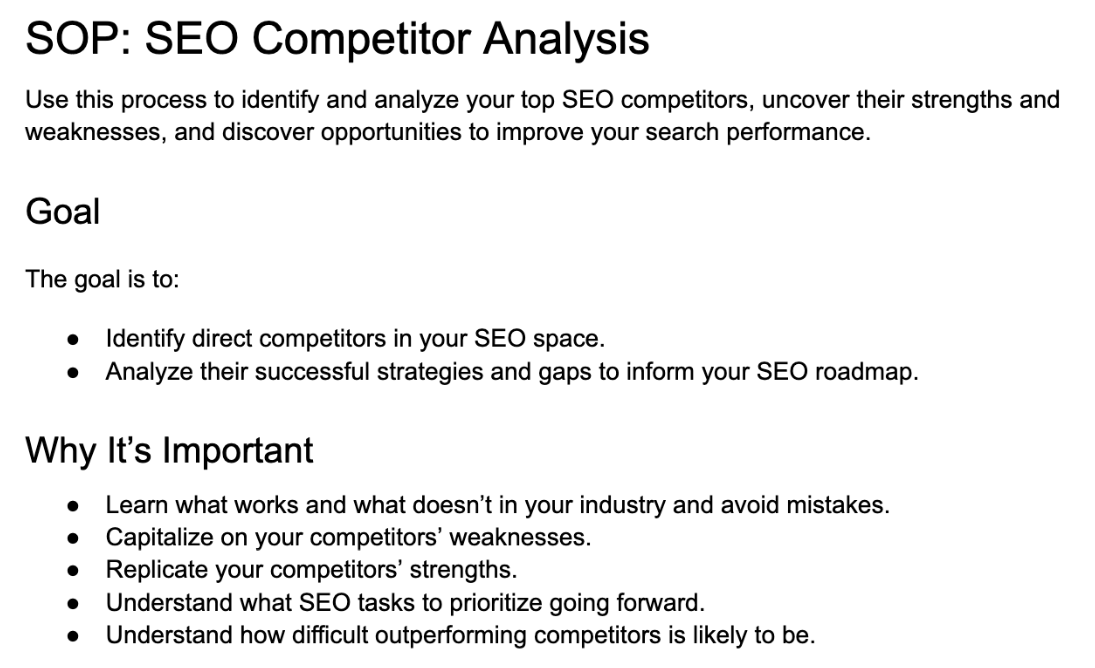
Figure: Teaching interface mockup with sample data, not a live official screenshot. Menu labels, placement, and available features can vary by plan and product update; use the interface in your account as the source of truth.
Four Common Entry Points
- Site Explorer: Enter a domain, folder, or exact URL, then open
Referring domains,Backlinks,Organic keywords, orTop pagesfrom the left navigation. - Keywords Explorer: Enter seed keywords, choose a search engine and country/region, then expand the topic through reports such as Matching terms and Related terms.
- SERP Overview: Click
SERPfrom a keyword row in Site Explorer, Keywords Explorer, or Rank Tracker. Ahrefs documentation currently describes capabilities such as historical SERPs, comparison across dates, locations, or keywords, intent identification, and export. Availability depends on the plan. - Competitive Analysis: Select
Content Gapto compare keywords for your target and competitors.
Choosing a Site Explorer Scope
| Scope | Best question to answer | Common misuse |
|---|---|---|
| Domain scope including subdomains | Which links and traffic does the entire brand ecosystem attract? | Combining a blog, help center, and careers site into one business-performance view |
| Current domain/host | How is the primary site performing overall? | Ignoring content hosted on a separate subdomain |
| Prefix | How is /blog/ or a product directory performing? | Using the wrong prefix and missing localized or redesigned paths |
| Exact URL | Why does one page attract links or rankings? | Generalizing a single-page result to an entire topic |
Attach four metadata fields to every export: query date, target scope, country/region, and report used. Without them, two datasets are difficult to compare correctly.
Core Metrics: Read Relationships Before Scores
| Metric | What it answers | Appropriate use | What it does not represent |
|---|---|---|---|
| Referring domains | How many unique domains provide at least one link? | Review source diversity before specific pages | Count alone does not equal quality or relevance |
| Backlinks | How many page-level links point to the target? | Review placement, anchor text, attributes, and new/lost status | Many repeat links from one domain do not create many new relationships |
| DR / UR | Relative link strength of a domain/page | Screen comparable targets, then review manually | Topical relevance, real audience, or a ranking guarantee |
| KD | Estimated link threshold among current top-10 results | Evaluate alongside SERP page types and site capability | The success probability of your specific page |
| Volume | Estimated search demand for a keyword in a market | Assess scale, trend, and seasonality | Actual clicks or conversions |
| Traffic Potential | A signal for the broader demand a leading page may cover | Avoid making a decision around one keyword alone | Traffic your page is guaranteed to receive |
| Organic traffic | Estimated organic traffic for a site/page | Compare competitors and directional trends | Actual GA4 sessions or Search Console clicks |
Ahrefs defines a backlink as a hyperlink from one website or web page to another website. A referring domain is a unique domain that supplies at least one backlink to the target. Multiple links from one domain still count as one referring domain. The practical reading order is therefore “Referring domains for relationships, then Backlinks for detail,” rather than sorting only by total link count. Read the official definition
Track 1: Link Building and Digital PR
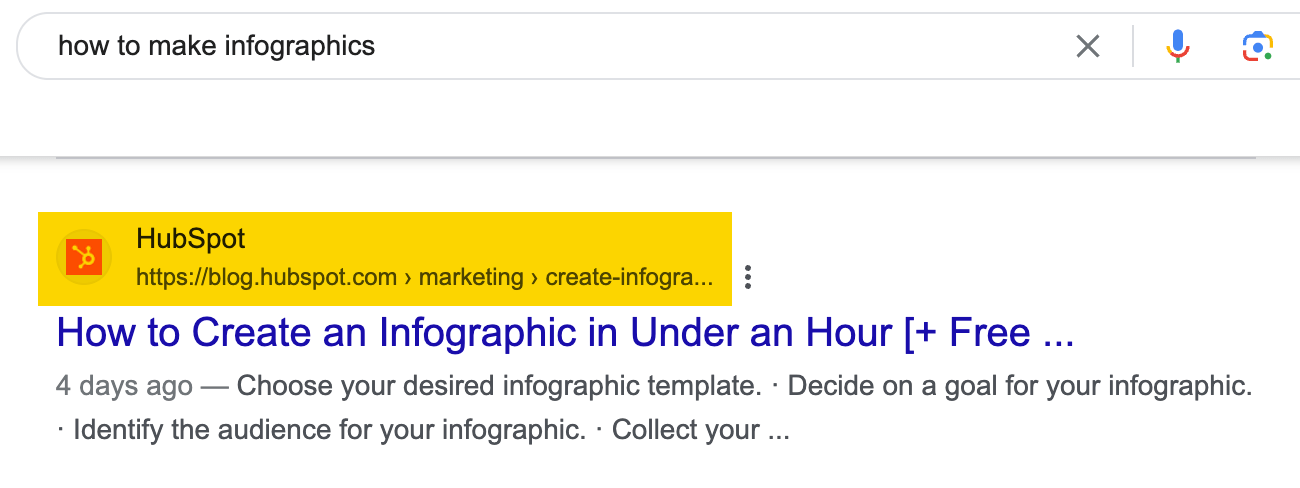
Figure: Original teaching workflow. The link track and keyword track rely on different evidence, then converge in a shared task and validation queue.
Step 1: Match the Target Scope to the Question
- To study why one competitor article is cited, use Exact URL.
- To study digital PR assets across a competitor blog, use Prefix or a directory scope.
- To study the brand’s overall link-source structure, use a domain scope.
Do not mix a root domain, blog directory, and exact page in the same comparison. Standardize the scope before discussing differences.
Step 2: Start at the Relationship Layer in Referring Domains
Filter first for sources that are topically relevant, live, and appropriate for the language or market, then open the actual source page. Check:
- Whether the source domain is relevant to the target audience.
- Which competitor page earned the link and why the link appears there.
- Whether the source page is actively maintained and contains genuine editorial content.
- Whether the source links to multiple competitors, suggesting a resource-page or topic-page pattern.
- Whether new or lost dates correspond with publication, redesign, or PR events.
Step 3: Inspect Page-Level Evidence in Backlinks
Open Backlinks and review the source URL, target URL, anchor text, link placement, and attributes. Filters can narrow results to editorial links, image links, redirects, canonical links, and attributes such as Nofollow, UGC, and Sponsored. Labels can vary by account and product version.
For link-building and digital PR opportunities, prioritize candidates that are topically relevant, live, editorially credible, naturally cite a competitor, and could reasonably benefit from stronger evidence or a better resource from your team. For risk review, investigate unusual anchor text, irrelevant markets, templated pages, link networks, and abrupt spikes in new links.
Step 4: Score Each Source from 1 to 5
| Dimension | 1 | 3 | 5 |
|---|---|---|---|
| Topical relevance | Unrelated to the business | Adjacent industry | Directly serves the same audience or problem |
| Source-page quality | Templated page with no editorial value | Readable but limited influence | Named authorship, evidence, and ongoing maintenance |
| Audience value | No sign of a real audience | Small vertical audience | Concentrated target customers or influential stakeholders |
| Earnability | Only available through payment or exchange | Possible through a standard contribution | Your team has a uniquely useful, naturally citable asset |
| Risk | Clear manipulation or suspicious source | Insufficient information | Editorially independent, clearly labeled, and low risk |
Apply disqualifiers first: remove obvious paid manipulation, irrelevant sources, malicious pages, and inaccessible pages. For the remaining candidates, a total score of 21 or higher enters priority outreach, 16–20 requires more research, and 15 or lower is deferred. This is an internal operations rubric, not an Ahrefs score.
Step 5: Turn Each Finding into an Outreach Rationale
| Opportunity type | Required evidence | Reasonable next action |
|---|---|---|
| Industry resource page | The source naturally lists multiple comparable resources | Submit a more complete, current, or usable resource |
| Broken-link replacement | The destination is broken and you have an equivalent or better page | Fix your page first, then politely notify the editor |
| Unlinked brand mention | The article contains a relevant brand mention without a link | Explain how adding the link would help the reader |
| Data-led digital PR | A competitor’s original data consistently attracts new referring domains | Create a transparent, reproducible, citable data asset |
| Expert perspective | The source article lacks an important viewpoint | Offer a concise, verifiable, non-promotional contribution |
A high-DR but irrelevant source should not outrank a lower-DR emerging trade publication with a genuine vertical audience. Disavowing or removing links at scale is a high-risk action; do not act only because DR is low or a third-party label says a link is “toxic.”
Track 2: Keyword and Content Growth
Step 1: Start with a Topic and Market
Open Keywords Explorer, enter three to ten closely related seed keywords, and select the search engine and country/region. Research different markets, languages, and search engines separately.
Step 2: Expand Without Turning the Export Directly into a Calendar
Matching terms: Build the topic backbone.Related terms/Also rank for: Find semantic relationships, subtopics, and co-occurring themes.Search suggestions: Capture the language people naturally use.- Include/exclude terms: Remove jobs, free templates, definitions, and other queries that do not fit the business, or group them separately for intentional review.
Add four team fields to every candidate: search intent, expected page type, business value, and existing-page status. Without these fields, a keyword sheet is inventory, not a plan.
Step 3: Always Open SERP Overview
SERP Overview is more than a list of the top 10. As of August 2026, Ahrefs documentation describes historical SERPs, comparison across dates, locations, or keywords, SERP Similarity, Target only, intent identification, and export. Historical range and some features depend on the plan. Read the official SERP Overview guide
Read it in this order:
- Are the leading results product pages, category pages, tutorials, reviews, or videos?
- Does the dominant intent match the way your page can satisfy and convert the visitor?
- What topic coverage, freshness, and differentiated evidence do ranking pages provide?
- Are DR/UR, referring domains, and estimated traffic concentrated among a few strong pages?
- Is the historical SERP stable, or do pages and intent change frequently?
- Do Featured Snippets, People Also Ask, video, local, or other features reduce organic click space?
If product category pages dominate the SERP, do not force a generic tutorial into the contest. If two intents persist, provide clear routes or separate the pages, but avoid creating internal competition.
Step 4: Produce a Deliverable Brief
A content brief should include the target market, primary intent, primary and supporting keywords, target page type, SERP evidence, required questions, unique assets, internal links, CTA, author/reviewer, launch date, update cadence, and success metrics.
Build a Candidate Task Pool with Content Gap
The typical entry point is Competitive Analysis → Content Gap. Choose a keyword comparison, then enter your own domain, directory, or page and two to five competitors with similar business models. Competitor limits and fields depend on the current interface.
Reproducible Procedure
- Use the same Root domain, Prefix, or Exact URL scope for your target and competitors.
- Start with topics where at least two competitors rank and your site has no coverage.
- Narrow by country/region, position, KD, traffic potential, and include/exclude terms.
- Open the real SERP for every candidate instead of relying only on an export.
- Check whether your site already has a page for the same intent, so you do not commission a duplicate.
- Label the candidate create, update, consolidate, or drop, and record the evidence.
“Competitors have it and we do not” is not automatically a gap. Drop queries that do not align with the product, customer problem, or economic model.
Run Tag-Based Reviews with Rank Tracker
Rank Tracker monitors keywords, locations, and devices selected by your team. Site Explorer’s Organic Keywords are discovered by the Ahrefs database. Their sources and purposes differ, so they should not be treated as one-to-one equivalents.
Example Tag Design
For a B2B project-management SaaS company, a tag system might look like this:
| Tag dimension | Example values | Question answered |
|---|---|---|
| Product | Project management, Resource planning, Client collaboration | Which product line is improving? |
| Intent | Informational, Comparison, Commercial, Branded | Where in the funnel is improvement happening? |
| Page action | Create, Update, Consolidate | Which content action is working? |
| Market | US desktop, UK mobile | Are markets or devices diverging? |
| Owner | Content-A, Product-Marketing-B | Who needs to act or review? |
For example, “agency project management software” could be tagged Client collaboration / Commercial / Update / US desktop / Product-Marketing-B. If that tag group moves from positions 11–20 into the top 10 without a corresponding click increase, investigate SERP features, titles and snippets, brand preference, and Search Console click data rather than celebrating rank alone.
Annotate each launch, redesign, migration, and major algorithm event. Review tag-group trends before individual keywords, review distribution and visibility before volatility, and then open the actual SERP to diagnose causes.
Worked Example: From Competitor Gaps to Four Content Decisions
The following is a teaching example. The company name, domain context, and values are illustrative.
Northstar, a project-management SaaS for marketing agencies, wants to increase trials. The team compares its own /resources/ scope with two similar competitor resource directories in the US market.
1. Build Candidates in Content Gap
| Candidate topic | Competitor evidence | Current state | Initial decision |
|---|---|---|---|
| agency project management software | Two competitors have product/list pages in the top 10 | An older product page ranks 18th | Update |
| client onboarding checklist | Two competitor tutorials rank consistently and attract citations | No page | Create |
| marketing workflow template | Two overlapping pages both rank outside the top 20 | Content overlap | Consolidate |
| free social media calendar | High demand, but free spreadsheets dominate the SERP | The product cannot convert this intent naturally | Drop |
2. Validate Page Types in the SERP
The team opens SERP Overview for all four candidates. The first requires a product comparison and use cases, the second suits a downloadable checklist, the third reveals internal intent overlap, and the fourth is unlikely to convert even if it earns traffic.
3. Add Evidence from the Link Track
The competitor’s “client onboarding checklist” has referring domains from eight agency-training sites, including three maintained resource pages. After manual review, only two sources score at least 21: they are directly relevant, reach the same audience, and could reasonably cite a method template with version history and expert review.
4. Deliver Tasks, Not a Report
- Update the older product page: Product Marketing owns it and has two weeks to add a comparison, a real workflow, and customer evidence.
- Create the onboarding checklist: Content owns it and completes expert review before contacting the two high-fit resource pages.
- Consolidate the two workflow templates: Keep the stronger URL and prepare redirect and internal-link plans.
- Drop the free-calendar topic: Record the reason and revisit quarterly, but exclude it from the current calendar.
Decision Rubric: Create, Update, Consolidate, or Drop
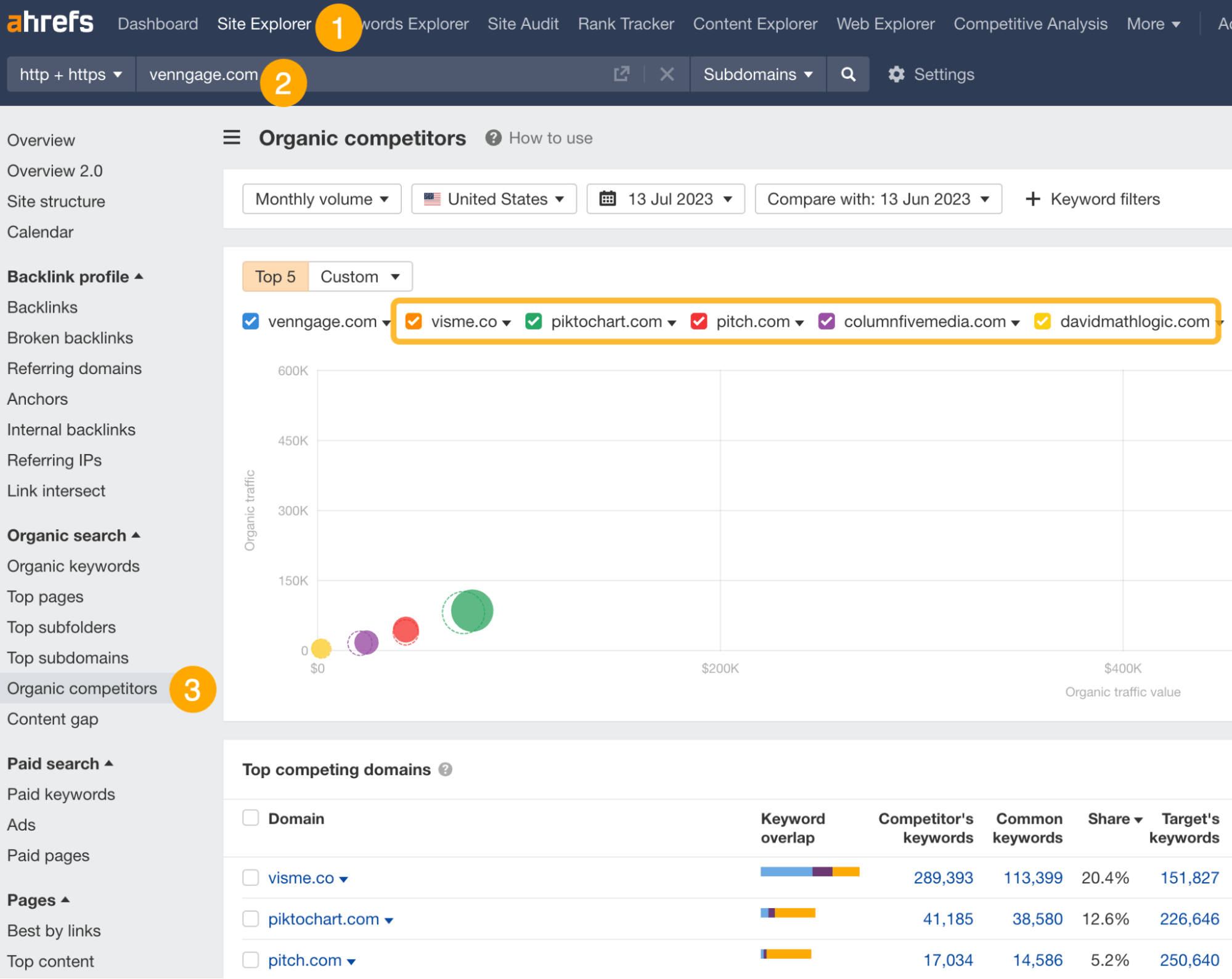
Figure: Original teaching decision graphic. The example thresholds are for team planning and are not official Ahrefs metrics.
Decision Conditions
| Action | Use when | Must confirm | Avoid |
|---|---|---|---|
| Create | No page satisfies the intent, and the topic has a clear product connection | The SERP page type is feasible and you have differentiated evidence | Copying a topic simply because a competitor ranks |
| Update | A page already serves the right intent and has impression/ranking foundations, but lacks sufficient content or evidence | The URL is worth retaining and an update can close the gap | Constantly changing a stable page in pursuit of “freshness” |
| Consolidate | Multiple pages target the same intent and split signals and links | Select a primary URL and plan redirects, internal links, and content migration | Deleting pages before backing up and mapping the migration |
| Drop | Business value is low, SERP type does not fit, cost is too high, or evidence is weak | Record the reason and a condition for review | Treating “drop” as “never revisit” |
1–5 Opportunity Model
Score each dimension from 1 to 5:
- Business value (30%): 1 = no product connection; 5 = directly supports a high-value action.
- Winnability (25%): 1 = SERP and site capability are clearly mismatched; 5 = a foundation exists and the gap can be closed.
- Traffic/citation potential (20%): 1 = negligible demand or citation value; 5 = stable demand or high citation value.
- Topic synergy (15%): 1 = isolated topic; 5 = strengthens a priority topic cluster.
- Evidence quality (10%): 1 = one estimate only; 5 = multiple competitors, live SERP evidence, and first-party data agree.
Opportunity score = each dimension score × its weight. Then classify implementation cost: low-cost coefficient 1, medium-cost coefficient 1.5, high-cost coefficient 2. Execution index = opportunity score ÷ cost coefficient.
Suggested thresholds: an execution index of 3.2 or higher enters the current sprint, 2.3–3.19 requires more evidence or moves to a later cycle, and below 2.3 is dropped or reviewed quarterly. Calibrate these values against team capacity; do not present them as platform recommendations.
Free Access, Paid Access, and RelayX Boundaries
According to an Ahrefs help article updated July 21, 2026, a free account includes six tool categories. Site Explorer and Site Audit are available for sites whose ownership can be verified. At that time, the article listed up to 1,000 backlinks and keywords visible at once in free Site Explorer and 5,000 monthly crawl credits per project in Site Audit. Free capabilities, quantities, and verification requirements can change; check the official free-access guide and your account.
Keywords Explorer, competitor research, historical SERPs, exports, and Rank Tracker vary by plan, limits, and update cadence. Before purchasing, list the projects, tracked keyword-location combinations, historical range, export volume, and collaborators your team needs, then compare them with official pricing.
For RelayX access, keep one principle: use a shared environment only for low-sensitivity research that can be completed in a controlled session. Do not store client-confidential material, long-term keyword strategy, or production projects that require ownership verification. Plan the scope and filters before querying, then export and document results promptly. See Marketing Growth Solutions and the Ahrefs tool page; delivered entitlements, credits, and restrictions are authoritative.
Common Mistakes and Troubleshooting
| Problem | Cause | Corrective action |
|---|---|---|
| Evaluating links only by DR | Source-page quality, topic, and real audience are ignored | Apply disqualifiers, then score the five dimensions manually |
| Many backlinks but few relationships | One domain supplies many repeat links | Review Referring domains first, then inspect specific links |
| Treating KD as success probability | KD cannot cover intent, brand, content, and technical condition | Open the SERP and compare it with your site baseline |
| Ahrefs traffic differs from GSC | External estimates and first-party data use different methods | Use Ahrefs for discovery and comparison; use GSC to validate your site |
| Content Gap returns many irrelevant terms | Competitors or target scope are too broad | Compare equivalent directories/page types and add business exclusions |
| Rank Tracker improves but clicks do not | SERP features, snippets, or demand have changed | Review GSC, historical SERPs, and page conversion context |
| Exports do not become work | No owner, action, or review date | Give every candidate one explicit decision |
30-Day Implementation Plan
Week 1: Standardize the Baseline
- Confirm the owned-site scope, three comparable competitors, and target market.
- Export baseline Referring domains, Top pages, and Organic keywords.
- Define the keyword tag dictionary and four action types.
- Confirm account permissions, limits, and shared-environment boundaries.
Week 2: Research Both Tracks
- Link track: Manually review 20 source pages and retain five high-scoring candidates.
- Keyword track: Research three to five seed topics and manually open 30 SERPs.
- Run Content Gap and remove results with no business connection.
- Produce ten candidate tasks with evidence.
Week 3: Complete One Execution Loop
- Update one page approaching the top 10.
- Create one page with clear conversion relevance.
- Consolidate one set of pages with overlapping intent.
- Build one naturally citable content asset and conduct limited outreach.
Week 4: Validate and Calibrate
- Record early movement in Rank Tracker and GSC.
- Review new/lost links and outreach feedback.
- Adjust scoring thresholds to actual team capacity.
- Schedule 2-, 4-, and 8-week reviews instead of treating short-term fluctuation as a conclusion.
FAQ
Is a High-DR Link Always Worth Pursuing?
No. DR describes only one link-strength dimension. The source page’s authenticity, topical relevance, audience fit, and the way a link is earned are more important to operational value.
What KD Is “Easy”?
There is no universal threshold. The same KD can represent different difficulty for different sites and SERPs. At minimum, evaluate page type, current ranking foundation, referring-domain threshold, topical capability, and business value.
Should We Build Links or Content First?
First make sure the page satisfies intent and offers unique value. Outreach is difficult to sustain without a citable asset. When a strong page remains stuck in a competitive range, relevant links and digital PR may become the next constraint.
When Should We Drop a Keyword?
Drop it when business value is low, the SERP type is not feasible, the gap between the site and competitive threshold is too large, or no differentiated value can be verified. Record the reason and review condition rather than deleting the evidence.
Sources
- RelayX: Marketing Growth Solutions
- RelayX: Ahrefs Tool Details
- Ahrefs: The Difference Between Referring Domains and Backlinks
- Ahrefs: What You Can Do in SERP Overview
- Ahrefs: What You Can Use for Free
- Ahrefs: Filters in Site Explorer Backlinks Reports
- Ahrefs: Keyword Difficulty Definition
- Ahrefs: Keyword Ideas Reports in Keywords Explorer
- Ahrefs: Using Content Gap
- Ahrefs: Rank Tracker vs. Organic Keywords
- Ahrefs Pricing
This is an original synthesis reorganized using official information accessible as of August 24, 2026. Interface visuals and values in the teaching graphics are illustrative and do not represent a live Ahrefs report. Metrics, plans, limits, and features are governed by the current official pages and the permissions in the actual account.